
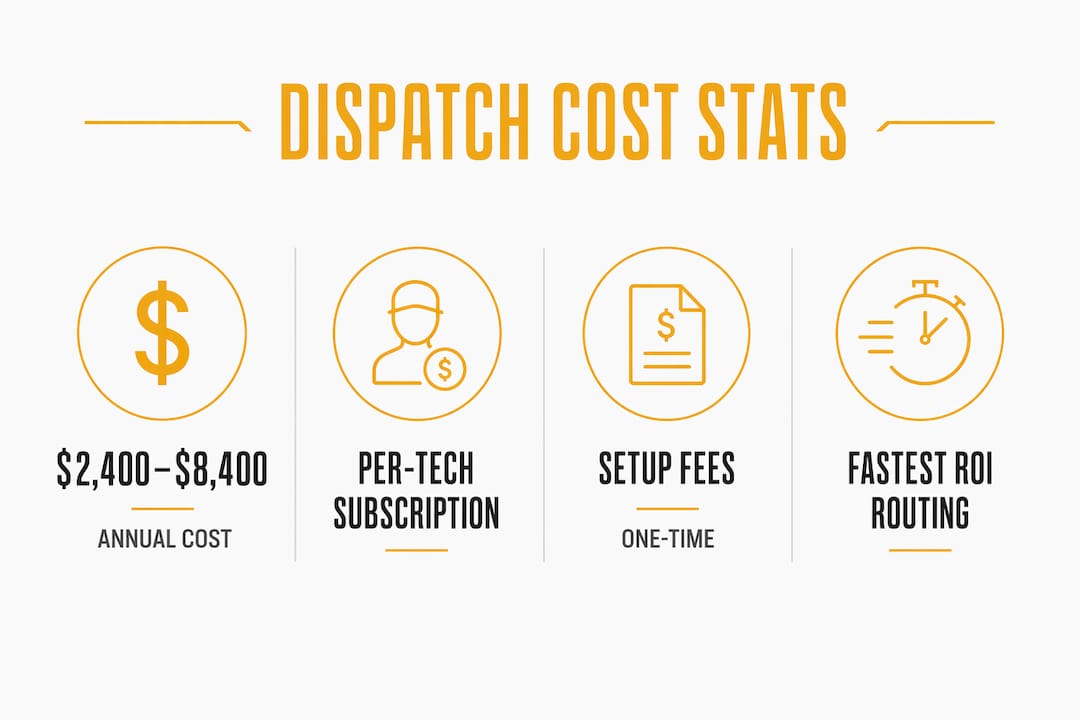
Many U.S. small and mid-size service businesses pay a moderate annual amount per technician for an AI dispatch platform, resulting in a typical yearly spend for teams that varies significantly by size and needs. That range is wide because pricing depends heavily on how many seats you need, which features you activate, and whether you choose per-user or per-vehicle billing.
Here is what that looks like in practice:
- 5-tech team: a monthly subscription plus a one-time setup fee
- 20-tech team: a higher monthly subscription with additional implementation costs possible in the first year
The fastest path to an accurate quote: Decide your billing model preference (per-user vs. per-vehicle) before you contact any vendor. That single decision narrows your shortlist and makes quotes comparable.
Start by shortlisting two or three pricing models, then request itemized quotes from vendors that serve HVAC, electrical, or plumbing businesses specifically.
Table of Contents
- What actually drives dispatch software cost
- Common pricing models and fee types you'll encounter
- Concrete cost ranges and sample budgets by company size
- Ongoing and hidden costs many buyers miss
- Implementation timeline and one-time fees checklist
- 10 questions to ask vendors before you sign
- Which features pay back fastest for HVAC, plumbing, and electrical teams
- Tradepilot's pricing model and why it fits trades businesses
- Key Takeaways
- Why HVAC and trades buyers actually switch to AI dispatch
- Useful sources and further reading
- Tradepilot is built for the trades, not adapted from logistics
What actually drives dispatch software cost
Knowing the sticker price is only half the picture. The other half is understanding which parts of your operation push that number up or down.
- Number of seats vs. number of technicians. Most platforms charge per dispatcher seat, not per field tech. A 20-person crew with two dispatchers might pay far less than a team where every tech logs in independently.
- Billing model. Per-user, per-vehicle, per-load, and tiered flat plans each scale differently. Per-user costs grow linearly with headcount; per-vehicle costs track your fleet size instead.
- Routing and optimization complexity. Basic map-pin dispatch is cheap. AI-powered route optimization with real-time traffic, skill matching, and ETA windows costs more but often pays back faster.
- Mobile app access. Giving every technician a mobile app (job details, e-signature, invoicing) typically adds a per-tech fee on top of the dispatcher seat cost.
- Integrations. Connecting to QuickBooks, a CRM, or a GPS fleet tracker usually costs extra, either as a flat add-on or a per-API-call fee.
- SLA and support tier. Phone support and guaranteed response times cost more than email-only or community forums.
- Customization. Custom fields, branded customer notifications, and custom reports are often locked behind higher tiers or billed as one-time development work.
- Data volume and API usage. High-volume businesses hitting API rate limits or storage caps face overage fees that never appear in the base quote.
- Security and compliance. SOC 2 or HIPAA-adjacent requirements (rare in trades, but relevant if you handle sensitive client data) can push you into enterprise tiers.
- Reporting and analytics. Basic job reports are usually included. Utilization dashboards, technician performance scoring, and custom exports often cost extra.
The key distinction is whether a cost is upfront and one-time (setup, migration, custom dev) or recurring and variable (overages, add-ons, support upgrades). Recurring variable costs are the ones that blow budgets.
Pro Tip: If your dispatchers are outnumbered by your technicians, ask vendors specifically about per-tech pricing versus per-dispatcher pricing. A 15-tech team with two dispatchers can sometimes cut its monthly bill by 40–60% by choosing a model that charges only for dispatcher seats.
Common pricing models and fee types you'll encounter
Understanding the model behind a quote is more useful than comparing raw numbers. Two vendors quoting "$150/month" can mean very different things depending on what that covers.

The main billing models
SaaS dispatch pricing typically falls into one of these structures:
- Per-seat (per-user): You pay for every login. Simple to understand, but costs scale fast as your team grows. Per-user monthly rates generally start at a moderate rate per user per month, with mid-tier features costing more depending on the vendor.
- Per-vehicle/asset: You pay per truck or asset tracked, not per person. Common in fleet-heavy operations. Basic dispatch features run roughly $20–$60 per vehicle per month for SaaS platforms.
- Per-technician: A hybrid model common in field service. You pay per field tech rather than per dispatcher, which can be cheaper when you have few dispatchers but many techs.
- Per-load/transaction: You pay per job dispatched. Low fixed cost, but unpredictable at volume. Better for seasonal businesses than year-round operations.
- Tiered flat plans: A fixed monthly fee for a defined feature set and user count. Predictable, but you often pay for features you don't use.
- Custom/enterprise pricing: Negotiated contracts for large teams or complex workflows. Usually includes dedicated support and custom SLAs.
| Pricing model | Cost predictability | Scales with | Best fit for |
|---|---|---|---|
| Per-seat | High | Headcount | Small teams with stable staff |
| Per-vehicle | High | Fleet size | Delivery, fleet-heavy ops |
| Per-technician | Medium | Field staff | HVAC/plumbing/electrical |
| Per-load | Low | Job volume | Seasonal or variable-volume |
| Tiered flat | High | Feature needs | Growing SMBs wanting simplicity |
| Custom/enterprise | High | Negotiated | Large teams, complex workflows |
One-time and recurring fees to budget for
One-time fees typically include onboarding, data migration, custom integrations, and initial training. Recurring add-ons to watch for include API usage fees, extra storage, payment processing (typically 2–3% per transaction), premium support, and SMS/push notification fees.
Concrete cost ranges and sample budgets by company size
These examples use a per-technician SaaS model with standard features (routing, mobile app, basic integrations). One-time fees reflect typical SMB onboarding, not enterprise deployments.
| Company size | Monthly subscription | One-time setup | Year-one total | 3-year TCO |
|---|---|---|---|---|
| Small (1–5 techs) | a modest monthly subscription | onboarding fees typical for SMBs | overall first-year costs vary | multi-year costs vary significantly |
| Mid (6–25 techs) | higher monthly rates reflect size | moderate-to-high setup fees possible | total first-year spend depends on scale | cumulative costs vary according to usage |
| Large (20+ techs) | enterprise-tier monthly fees typical | substantial one-time costs possible | first-year expenses can be significant | long-term costs reflect enterprise scale |
Assumptions: Tiered flat or per-tech billing, one dispatcher seat per five techs, standard integrations (QuickBooks, GPS), and no custom development. The large-company range reflects published delivery-platform pricing starting at $675/month for base plans, scaling to $4,900/month for enterprise tiers, plus $27 per driver per month.
How to choose the right budget tier
- Count your active field technicians and dispatcher seats separately.
- List the three integrations you cannot operate without (accounting, GPS, CRM).
- Decide whether mobile job capabilities (e-signature, on-site invoicing) are required from day one.
- Add 15–20% to your estimated subscription for year-one overages and training.
- Compare year-one total cost, not just monthly subscription, across at least three vendors.
ROI callout: when does the investment pay back?
Missing route optimization alone can cost an SMB over $20,000 per year in wasted fuel and overtime. A 10-tech HVAC company paying $600/month ($7,200/year) for a platform with AI routing and skill matching can realistically recover that cost within the first few months if it eliminates even a fraction of that waste. Fewer missed jobs, less overtime, and tighter ETAs compound quickly.

Ongoing and hidden costs many buyers miss
The subscription fee is the number vendors lead with. The costs below are the ones that show up later.
- Data storage overages: Platforms with photo documentation or large job histories often cap storage and charge per GB beyond the limit.
- API call fees: Connecting to third-party tools (GPS, accounting, CRM) can trigger per-call charges at volume.
- SMS and push notification fees: Customer ETA alerts and technician notifications are sometimes metered separately.
- Payment processing: If you collect payments through the platform, expect 2–3% per transaction on top of your subscription.
- Extra-user fees: Adding a dispatcher or admin mid-contract often triggers a prorated charge at a higher per-seat rate than your original deal.
- Premium support: Phone support, dedicated account managers, and guaranteed response times are usually add-ons, not defaults.
- Training refreshes: Staff turnover means retraining costs. Many vendors charge per session after the initial onboarding.
- Custom reports: Standard dashboards are included; anything custom often requires a paid professional services engagement.
- Hardware: Tablets or scanners for field techs are not included in any SaaS subscription. Budget $150–$400 per device if your techs don't already have compatible hardware.
Poor feature choices create their own hidden costs. A team running without route optimization or skill-based dispatch burns fuel on inefficient routes and sends the wrong tech to jobs, generating callbacks and overtime that dwarf the cost of the software itself.
Watch for price escalation clauses. Many SaaS contracts include annual price increase provisions of 5–10% that activate automatically at renewal. Ask for the exact renewal pricing language before you sign, and get any promotional rate locked in writing for at least 24 months.
Implementation timeline and one-time fees checklist
Most SMBs underestimate how long it takes to go from "signed contract" to "fully live." A realistic deployment for a 10–25 tech team looks like this:
- Free trial or pilot (1–2 weeks): Test core workflows with a small subset of jobs and techs.
- Configuration (1–2 weeks): Set up job types, skill tags, service zones, and notification templates.
- Data migration (1–3 weeks): Import customer records, job history, and technician profiles. This step takes longer than most vendors quote.
- Integration setup (1–2 weeks): Connect accounting software, GPS, and any CRM. Custom integrations add time.
- Training (1 week): Dispatcher and technician training, ideally with recorded sessions for future hires.
- Pilot run (1–2 weeks): Run live jobs alongside your existing process to catch gaps.
- Full rollout (1 week): Cut over completely and decommission the old system.
Total realistic timeline: 6–12 weeks for a mid-size team. Vendors who promise two-week deployments for 20+ tech operations are usually underselling the migration complexity.
One-time fees to budget for
- Onboarding and project management fee
- Data migration (customer records, job history, asset data)
- Custom integration development (if your accounting or GPS tool isn't natively supported)
- Mobile app configuration and device enrollment
- Initial training sessions (dispatchers and field techs separately)
Checklist for evaluating vendor project plans
- Does the vendor provide a written project plan with milestones and owner assignments?
- Is data migration included, or is it billed separately?
- Who owns scope creep if the migration takes longer than estimated?
- Are training sessions recorded for future staff onboarding?
- What is the escalation path if go-live is delayed?
10 questions to ask vendors before you sign
Getting comparable quotes requires asking the same questions of every vendor. These ten cover the cost predictability gaps that most buyers discover only after signing.
- What is the exact unit price, and what does one "unit" include? Red flag: vague answers like "it depends on your needs" without a published rate card.
- What fees are not included in the base subscription? Red flag: the vendor lists only the monthly fee and defers all other cost questions.
- How are API calls and integrations priced? Red flag: "unlimited" with no fair-use policy in writing.
- Who owns my data, and what does data export cost? Red flag: no documented export path or a fee to retrieve your own records.
- What is the SLA for uptime and support response time? Red flag: uptime guarantees below 99.5% or support response times measured in business days, not hours.
- What is included in onboarding, and what costs extra? Red flag: "white-glove onboarding" with no written scope.
- Is training included for new hires after go-live? Red flag: training is a paid add-on from day one.
- What is your policy on annual price increases? Red flag: no cap on renewal pricing or a clause allowing increases above CPI.
- Can I run a paid pilot before committing to an annual contract? Red flag: no pilot option and pressure to sign a 12-month contract before testing with real jobs.
- What migration assistance do you provide if I leave? Red flag: no documented offboarding process or a fee to export data in a standard format.
| Question | Why it matters | Red flag |
|---|---|---|
| Unit pricing clarity | Prevents surprise per-seat charges | No published rate card |
| Hidden fees | Reveals true monthly cost | Deferred cost questions |
| API/integration pricing | Controls variable costs | "Unlimited" with no policy |
| Data ownership | Prevents vendor lock-in | Fee to export your own data |
| SLA terms | Sets support expectations | Response time in business days |
| Onboarding scope | Caps implementation cost | No written scope |
| New-hire training | Controls ongoing training cost | Paid add-on from day one |
| Price increase policy | Protects 3-year TCO | No renewal cap |
| Pilot terms | Reduces commitment risk | Annual contract required upfront |
| Exit/migration help | Reduces switching cost | No offboarding process |
Which features pay back fastest for HVAC, plumbing, and electrical teams
Not every feature delivers equal ROI. For trades businesses, these are the ones that earn their cost back first.
- Route and ETA optimization. Cutting drive time by even 15–20 minutes per tech per day adds up to hours of billable capacity per week. This is the single fastest payback feature for any field service team.
- Technician skill matching. Sending the right tech the first time eliminates callbacks, which are pure cost. An AI that matches job requirements to technician certifications and experience pays back in reduced rework within weeks.
- Real-time technician location. Dispatchers stop calling techs to ask where they are. Customer ETAs become accurate. Both reduce wasted time and improve close rates on same-day calls.
- Mobile job capabilities (e-signature, on-site invoicing). Getting paid at job completion instead of waiting for paper invoices to cycle through the office accelerates cash flow and reduces billing errors.
- Customer notifications. Automated ETA and arrival alerts reduce inbound "where's my tech?" calls, freeing dispatchers for actual dispatch work.
- Accounting integration. Eliminating manual data entry between your dispatch platform and QuickBooks or similar tools removes a significant source of billing errors and saves hours per week.
- Utilization and performance reporting. Knowing which techs are underutilized and which jobs are running over time lets you make staffing decisions based on data rather than gut feel.
For HVAC, plumbing, and electrical teams specifically, the highest-impact starting bundle is routing optimization plus skill matching plus mobile invoicing. Those three features together address the three biggest cost leaks: wasted drive time, wrong-tech callbacks, and slow collections.
Tradepilot's pricing model and why it fits trades businesses
Tradepilot uses a seat-based subscription model designed for HVAC, electrical, and plumbing businesses that need predictable monthly costs without paying for features built for logistics or retail. The tiers scale with your dispatcher and technician count, so you're not paying for seats you don't use.
The core differentiator is the AI dispatch engine. Tradepilot matches every job to the best-fit technician based on skill, availability, and location in under a second. For a trades business, that means fewer callbacks from wrong-tech assignments, tighter schedules, and less overtime from poor routing. The platform covers dispatch, invoicing, inventory, and analytics in one place, which removes the need to pay for separate tools that don't talk to each other.
- Seat-based pricing with tiers that match SMB headcount
- AI job-to-technician matching reduces callbacks and overtime
- Single platform replaces multiple point solutions
- Built specifically for trades businesses, not adapted from logistics software

If you're comparing dispatch management software cost across vendors, Tradepilot's model is worth a direct look. Start a free trial or request a demo to get a quote matched to your team size and feature needs.
Key Takeaways
Most U.S. service businesses pay $2,400–$8,400 per year for AI dispatch software, and the fastest ROI comes from routing optimization and skill matching, not from buying the most feature-rich tier available.
| Point | Details |
|---|---|
| Typical cost range | U.S. SMBs pay $2,400–$8,400/year; typical monthly spend per technician is $200–$700 annually for small teams. |
| Best pricing model for SMBs | Per-technician or tiered flat plans offer the most predictable costs as your team grows. |
| Top 3 vendor questions | Ask about unit pricing clarity, hidden fees, and annual price increase policy before signing. |
| Top 3 hidden fees | Watch for payment processing (2–3%), API call fees, and premium support add-ons. |
| Recommended next step | Tradepilot offers seat-based AI dispatch built for HVAC, electrical, and plumbing teams. |
Why HVAC and trades buyers actually switch to AI dispatch
The buyers I see making this switch aren't doing it because they read a software review. They're doing it because something broke. A missed job that cost a big account. A week where three techs drove past each other on the same street. An overtime bill that made no sense given how many jobs were actually completed.
The decision trigger is almost always operational pain that finally has a dollar amount attached to it. Once an owner can see that manual scheduling is costing them $20,000 or more a year in fuel, overtime, and callbacks, the math on a $600/month platform becomes obvious.
What surprises most buyers is how fast the change shows up. A typical trades business running Tradepilot for the first 30 days sees dispatchers spending less time on the phone coordinating and more time on actual scheduling. Techs stop getting sent to jobs they're not certified for. ETAs get tighter. The first month rarely delivers the full ROI, but it usually delivers enough proof to justify the annual commitment.
The mistake I see most often is buying on price alone. The cheapest dispatch software is usually cheap because it's missing routing optimization or skill matching, which are exactly the features that pay back fastest. Buying a lower-cost platform without those capabilities often costs more in operational waste than the savings on the subscription.
Useful sources and further reading
The following sources were used to build this guide. Each covers a distinct aspect of dispatch software pricing and is worth reviewing if you want to go deeper on a specific topic.
- AI Dispatching Software for Small Business: A 2026 Buyer's Guide — Market context on AI dispatch platforms for SMBs, annual cost ranges, and hidden operational cost estimates from manual scheduling.
- Dispatch Software Pricing Comparison: SaaS vs Custom Solution — Detailed breakdown of per-user, per-vehicle, per-load, and tiered pricing models, plus a 3-year TCO comparison of SaaS versus custom builds.
- Field Service Dispatch Pricing 2026: Hidden Costs & Total ROI Revealed — Per-user price bands by feature tier, implementation fee ranges, and vendor evaluation criteria for field service businesses.
- Taxi Dispatch Software Cost in the USA: A Complete Breakdown — Setup and subscription cost examples showing how mobile apps and payment integrations affect total pricing.
- Truck Dispatch Services Explained: Cost & Value — Industry averages for third-party dispatch fees (percentage and flat models) and incentive alignment commentary.
- Dispatch Software Cost & Factors — Practical breakdown of cost drivers and feature-to-price mapping for field service dispatch platforms.
- Top 16 Dispatch Software for Small Businesses — Comparative overview of dispatch platforms available to small businesses, useful for benchmarking feature sets.
Tradepilot is built for the trades, not adapted from logistics
Most dispatch platforms started in trucking or retail delivery and were later adapted for field service. The pricing structures, feature priorities, and default workflows reflect that origin. Tradepilot was built from the ground up for HVAC, electrical, and plumbing businesses, which means the AI dispatch logic, the skill-matching engine, and the invoicing workflow are all designed around how trades businesses actually operate.
If you've been comparing dispatch software prices and finding that most platforms either charge for features you don't need or lack the skill-matching and routing capabilities that actually move the needle, Tradepilot is worth a direct look. The seat-based model keeps costs predictable as your team grows, and the AI matching engine starts delivering value from the first week of operation.
Request a demo or start a free trial to see pricing matched to your team size and get a clear year-one cost estimate before you commit to anything.