
The strongest Jobber alternatives for small and mid-sized service businesses right now are Workever, Housecall Pro, FieldPulse, ServiceTitan, Workiz, Buildbite, and Tradepilot. Each solves a different problem, so the right pick depends on exactly where Jobber is failing you, not on which platform has the longest feature list.
Most contractors switch from Jobber for one of three reasons: per-user pricing that gets expensive fast as the team grows, workflow structures that don't bend to their trade, or missing capabilities that require costly upgrades. Here's a quick look at where each alternative lands:
- Workever: Best for small UK and US service businesses wanting simple scheduling and invoicing without the per-user pricing trap
- Housecall Pro: Best for contractors frustrated by Jobber's one-way QuickBooks sync; offers true two-way integration
- FieldPulse: Best for trades with complex, multi-stage job workflows like HVAC installations or multi-day renovation projects
- ServiceTitan: Best for large residential service companies that have genuinely outgrown Jobber's scale
- Workiz: Best for businesses losing jobs to missed calls; built-in phone lead management sets it apart
- Buildbite: Best for field teams wanting affordable, scalable software with unlimited projects and two-way client communication
- Tradepilot: Best for HVAC, electrical, and plumbing businesses that want AI-powered dispatch, invoicing, inventory, and analytics on one platform
Table of Contents
- How do these Jobber alternatives compare on features and pricing?
- Which Jobber alternative fits your trade and workflow?
- How do you choose the right Jobber alternative for your business?
- What makes Tradepilot different from other field service platforms?
- Tradepilot gives HVAC, electrical, and plumbing teams a real edge
- Key Takeaways
How do these Jobber alternatives compare on features and pricing?
Choosing between these platforms gets easier once you line up the details that actually affect your daily operations: scheduling depth, accounting sync, mobile capability, and what you pay as your team grows.
| Platform | Best for | Key features | Pricing model | QuickBooks integration | Mobile app | Target industries |
|---|---|---|---|---|---|---|
| Workever | Small service teams | Scheduling, invoicing, job management | Flat monthly rate | One-way sync | Yes, field-ready | General home services |
| Housecall Pro | QuickBooks-dependent businesses | Flat-rate pricebook, two-way sync, customer messaging | Tiered, per-month | Two-way sync | Yes, full-featured | HVAC, plumbing, electrical |
| FieldPulse | Custom workflow trades | Configurable job stages, permit tracking, multi-day projects | Not publicly listed; premium pricing tier | One-way sync | Yes | HVAC, renovation, electrical |
| ServiceTitan | Enterprise-level operations | Advanced reporting, marketing tools, complex dispatch | Premium pricing plus implementation fees | Two-way sync | Yes | HVAC, plumbing, electrical |
| Workiz | High call-volume businesses | Missed call tracking, automated response, phone lead tools | Tiered monthly | One-way sync | Yes | General home services |
| Buildbite | Growing field teams | Unlimited projects and clients, two-way communication | Tiered; affordable entry pricing | Yes | Yes | Field service, construction |
| Tradepilot | AI-driven dispatch operations | AI job matching, dispatch, invoicing, inventory, analytics | Seat-based monthly subscription | Yes | Yes | HVAC, electrical, plumbing |
Jobber's per-user pricing structure makes it less scalable for growing teams, often forcing small businesses to pay more for features like two-way client communication that are locked behind higher tiers. That's the core tension driving most of these comparisons.
Two-way QuickBooks sync is the single most cited technical reason contractors move away from Jobber. Housecall Pro solves it directly. ServiceTitan also offers it, though at a significantly higher price point. Most other alternatives on this list still use one-way sync, so if accounting accuracy is your primary pain point, that narrows the field quickly.
On mobile, every platform here offers a field-ready app. The meaningful differences show up in offline capability and how much a technician can actually do without a signal. FieldPulse and Housecall Pro both handle offline job updates well. Workiz leans heavier on its communication tools, so the mobile experience there centers on call management and lead response rather than job documentation.
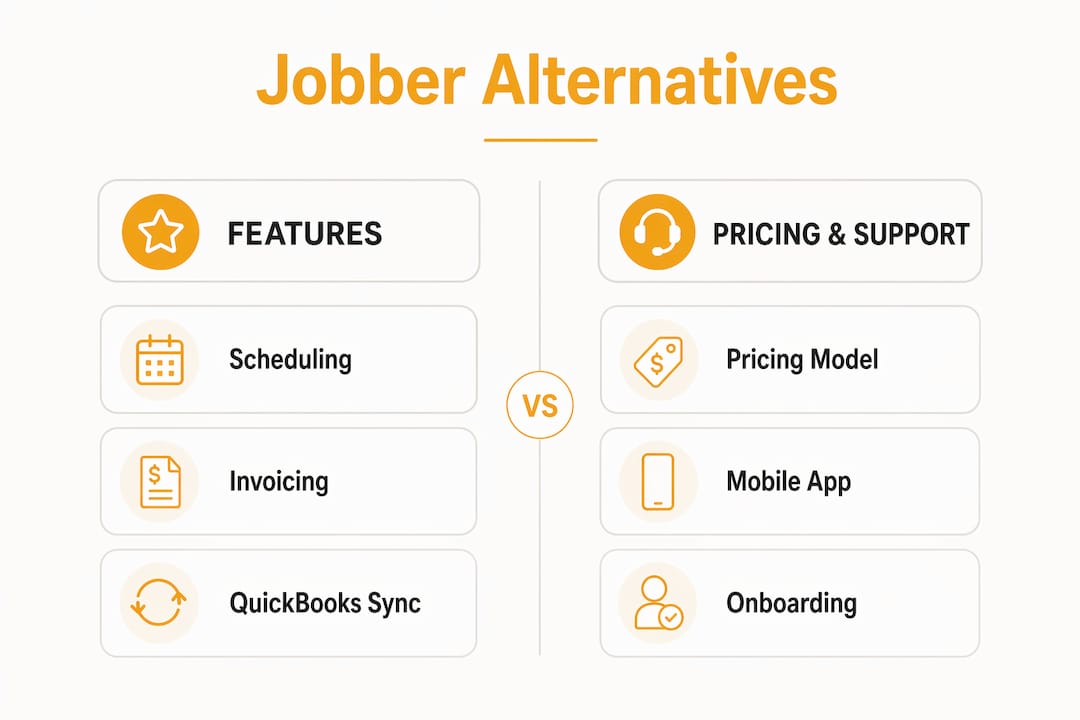
Onboarding quality varies more than vendors advertise. Most alternatives offer free trials or demos, but the depth of onboarding support, live chat, and dedicated setup help differs considerably. ServiceTitan, given its price, includes implementation support. Workever and Buildbite are designed to be self-service friendly, which works well for smaller crews but can feel thin if you're migrating a complex operation.
Which Jobber alternative fits your trade and workflow?
Not every platform works equally well across trades. The right fit depends on how your jobs are structured, how your team communicates, and whether your business runs lean or manages multiple crews simultaneously.
HVAC, electrical, and plumbing contractors
These three trades share a need for multi-stage job tracking, inventory visibility, and fast dispatch. FieldPulse's customizable job stages make it a strong fit for HVAC installation projects where a job moves through quoting, permitting, installation, and inspection before it closes. Housecall Pro's flat-rate pricebook was built specifically for HVAC, plumbing, and electrical pricing, which saves time on quoting. Tradepilot goes further by layering AI dispatch on top of scheduling, so the right technician gets assigned based on skill, location, and availability automatically.

Businesses with high call volume
Workiz is purpose-built for this problem. If your crew is losing jobs because calls go unanswered during busy periods, Workiz's missed call tracking and automated response tools address that directly. Pairing a solid VoIP phone system with any of these platforms also helps capture leads before they go to a competitor.
Multi-trade or general home service businesses
Workever and Buildbite both target this segment. Workever keeps things simple: scheduling, invoicing, and job management without the complexity of enterprise-level tools. Buildbite adds unlimited projects and clients at its entry tier, which matters when you're managing a mix of job types and don't want to hit a ceiling.

Large residential service companies
ServiceTitan is the only platform here built for genuine enterprise scale. It is a premium option that is typically priced significantly higher than others. But for a high-revenue HVAC or plumbing company with complex dispatch, marketing automation, and reporting needs, it's the only alternative that matches that operational complexity. Small crews looking for a cheaper option should look elsewhere.
Here's a quick breakdown by use case:
- Custom job stages and permit tracking: FieldPulse
- Two-way QuickBooks sync on a mid-market budget: Housecall Pro
- Missed call conversion and phone lead management: Workiz
- Unlimited projects with affordable scaling: Buildbite
- Simple scheduling for small teams: Workever
- Enterprise operations with advanced reporting: ServiceTitan
- AI-driven dispatch for HVAC, electrical, and plumbing: Tradepilot
How do you choose the right Jobber alternative for your business?
The most common mistake service business owners make when evaluating software is shopping for a full replacement when they only need to fix one thing. Before committing to a migration, get specific about what's actually broken.
Start with your real pain point. If Jobber's scheduling and invoicing work fine but your QuickBooks sync is a mess, Housecall Pro solves that without forcing you to relearn an entirely new system. If your job stages don't match your trade's workflow, FieldPulse's configurable structure addresses that specifically. Many contractors don't need a full platform switch at all. Adding specialized tools for GPS photo capture, inspection checklists, or field documentation can fill gaps without the disruption of a full migration.
Evaluate pricing at your actual team size. Jobber's per-user pricing compounds quickly. Run the math on what each alternative costs at your current headcount and at double it. Some platforms charge flat monthly rates regardless of users; others scale per seat. The difference can be hundreds of dollars a month at 10 or 15 technicians.
Check QuickBooks integration depth before you commit. One-way sync pushes data from your FSM platform into QuickBooks but doesn't pull updates back. Two-way sync keeps both systems current without manual entry. Two-way QuickBooks synchronization is frequently the chief technical factor that drives Jobber users to switch, and it's worth confirming exactly how each platform handles it before signing up.
Use the trial period seriously. Run real jobs through the system, not just a demo walkthrough. Have your dispatcher and at least one field technician use it on an actual workday. The gaps that matter, like how the mobile app handles spotty cell coverage or how long invoicing takes in the field, only show up under real conditions.
Consider switching costs honestly. Migrating customer records, job history, and accounting data takes time and carries risk. If the problem you're solving is worth two to four weeks of transition friction, switch. If it isn't, add a specialized tool instead.
- Pricing fit: Calculate cost at current and projected team size
- Feature match: Confirm the specific feature you need actually exists, not just "scheduling" generically
- Integration depth: Two-way vs. one-way QuickBooks sync matters for accounting accuracy
- Mobile capability: Test offline job updates and invoicing in the field
- Onboarding support: Ask what's included, live help vs. documentation only
- Trial quality: Run real jobs, not just a demo
Pro Tip: Before you start any trial, export your top 20 active jobs from Jobber and try importing them into the new platform. How that process goes tells you more about the software's real-world usability than any sales demo will.
You can also explore property management software comparisons for additional context on how FSM platforms stack up across different service-industry verticals.
What makes Tradepilot different from other field service platforms?
Most field service platforms give you a place to schedule jobs and send invoices. Tradepilot does that too, but the dispatch layer is where it separates itself from every other option on this list.
Tradepilot's AI matches each job to the right technician by evaluating skill set, real-time availability, and location simultaneously, completing that assignment in under a second. Manual scheduling means a dispatcher makes judgment calls under pressure, and those calls are only as good as what they can hold in their head at that moment. The AI removes that bottleneck entirely. The result is fewer mismatched assignments, less drive time, and technicians who show up prepared for the job they're actually qualified to handle.
The platform covers the full operational loop for HVAC, electrical, and plumbing businesses:
- AI dispatch: Job-to-technician matching by skill, availability, and location in under a second
- Invoicing: Generate and send invoices from the field without returning to the office
- Inventory tracking: Real-time visibility into parts and materials across jobs and locations
- Performance analytics: Job completion rates, technician productivity, and revenue data in one dashboard
That single-platform approach matters more than it sounds. When dispatch, invoicing, inventory, and analytics all live in separate tools, data falls through the gaps between them. A technician closes a job but the invoice doesn't generate until someone in the office catches it. Parts get used in the field but inventory doesn't update until end of day. Tradepilot's integrated platform keeps those systems in sync automatically, which means the data you're looking at is actually current.
For HVAC, electrical, and plumbing businesses specifically, the AI dispatch precision translates to reduced scheduling errors and faster technician assignments. When a high-priority emergency call comes in, the system identifies the nearest qualified technician immediately rather than waiting for a dispatcher to work through a mental checklist.
Tradepilot gives HVAC, electrical, and plumbing teams a real edge
Every platform on this list improves on Jobber in at least one area. But if you run an HVAC, electrical, or plumbing business and dispatch accuracy is costing you time and money, the alternatives that add AI to the scheduling layer are worth a serious look.

Tradepilot was built specifically for trades where the wrong technician on the wrong job is expensive. The AI dispatch engine doesn't just fill a calendar slot. It evaluates skill match, travel time, and availability together, so the technician who shows up is the one who can actually complete the job. Combined with invoicing, inventory, and analytics on the same platform, it removes the coordination overhead that grows as your team does.
If you're ready to see how AI dispatch changes the daily rhythm of running a field service team, visit Tradepilot and request a demo. The platform is built for businesses that want the right technician on every job, the first time.
Key Takeaways
The best Jobber alternative depends on your specific operational gap, whether that's pricing, QuickBooks sync, workflow flexibility, or dispatch accuracy.
| Point | Details |
|---|---|
| Switch for a specific reason | Most contractors leave Jobber due to per-user pricing, rigid workflows, or missing features, not because core scheduling fails. |
| QuickBooks sync depth matters | Two-way sync keeps accounting current automatically; Housecall Pro is the strongest mid-market option for this. |
| ServiceTitan suits large operations | At a premium price plus implementation, it fits high-revenue companies, not small crews. |
| Trial with real jobs | Run actual jobs during any free trial to surface mobile, offline, and invoicing gaps that demos hide. |
| Tradepilot for AI dispatch | Tradepilot matches jobs to technicians by skill, availability, and location in under a second, purpose-built for HVAC, electrical, and plumbing teams. |