
For most small-to-mid-size HVAC, electrical, and plumbing businesses, Tradepilot is the strongest ServiceTitan alternative right now: faster onboarding, published seat-based pricing, and an AI dispatch engine built specifically for trade teams. If Tradepilot isn't the fit, the shortlist breaks down cleanly by priority: SMB-simplified platforms for teams that want ease over depth, marketing-forward platforms for customer-experience-first operators, and QuickBooks-integrated platforms for shops where accounting sync is the non-negotiable.
One caveat worth stating plainly: if you run a commercial operation with 50+ technicians, highly customized workflows, and a dedicated software admin, an enterprise CRM-backed field service platform may still be the right call. For everyone else, the options below are worth a serious look.
ServiceTitan leads the residential trades market with a substantial customer base, concentrated in larger HVAC, plumbing, and electrical operators. That depth is real, but it creates overhead that smaller teams simply don't need.
Table of Contents
- How do the top ServiceTitan alternatives compare at a glance?
- Which platform actually fits your trade business?
- How to choose the right ServiceTitan alternative for your trade business
- Why do trade teams leave ServiceTitan? What the research shows
- Ranked list of ServiceTitan alternatives with pros and cons
- What does data migration from ServiceTitan actually involve?
- How does customer support compare across alternatives?
- What do real users say about these platforms?
- Key Takeaways
- What most migration guides get wrong about switching platforms
- Tradepilot is built for trade teams that can't afford a 90-day onboarding
- Sources and further reading
How do the top ServiceTitan alternatives compare at a glance?
| Category | Best for | Pricing model | Implementation time | Scheduling/dispatch | Mobile/offline | Integrations | Reporting | Inventory/pricebook | Support/training |
|---|---|---|---|---|---|---|---|---|---|
| Tradepilot | HVAC, electrical, plumbing SMBs | Seat-based published tiers | Fast (days) | AI job-to-tech matching | Strong offline mode | QuickBooks, open API | Real-time analytics | Full pricebook + inventory | Onboarding included |
| SMB-simplified FSM | 1–10 tech teams, residential | Published tiers | 1–7 days | Drag-and-drop scheduling | Good, limited offline | QuickBooks, Stripe | Basic dashboards | Basic pricebook | Chat/email |
| Marketing-first FSM | Customer-experience-focused shops | Published tiers | 3 days | Solid scheduling | Good mobile | CRM, review tools | Marketing analytics | Moderate pricebook | Phone + chat |
| QuickBooks-first FSM | Accounting-led operations | Published tiers | 1–7 days | Basic scheduling | Moderate | Deep QuickBooks sync | Financial reporting | Limited | Email/chat |
| Flat-rate unlimited-user FSM | Growing teams watching per-seat cost | Published flat rate | 1–3 days | Solid scheduling | Good | QuickBooks, Zapier | Standard reporting | Pricebook included | Chat/email |
| Enterprise CRM-backed FSM platforms typically serve larger commercial operations with custom quotes and implementation times ranging from 60 to 90 days. | |||||||||
| ServiceTitan (baseline) | Large residential/commercial | Custom quote only | 60–90 days | Advanced, deep | Strong | Many, complex setup | Deep reporting | Advanced | Enterprise support |
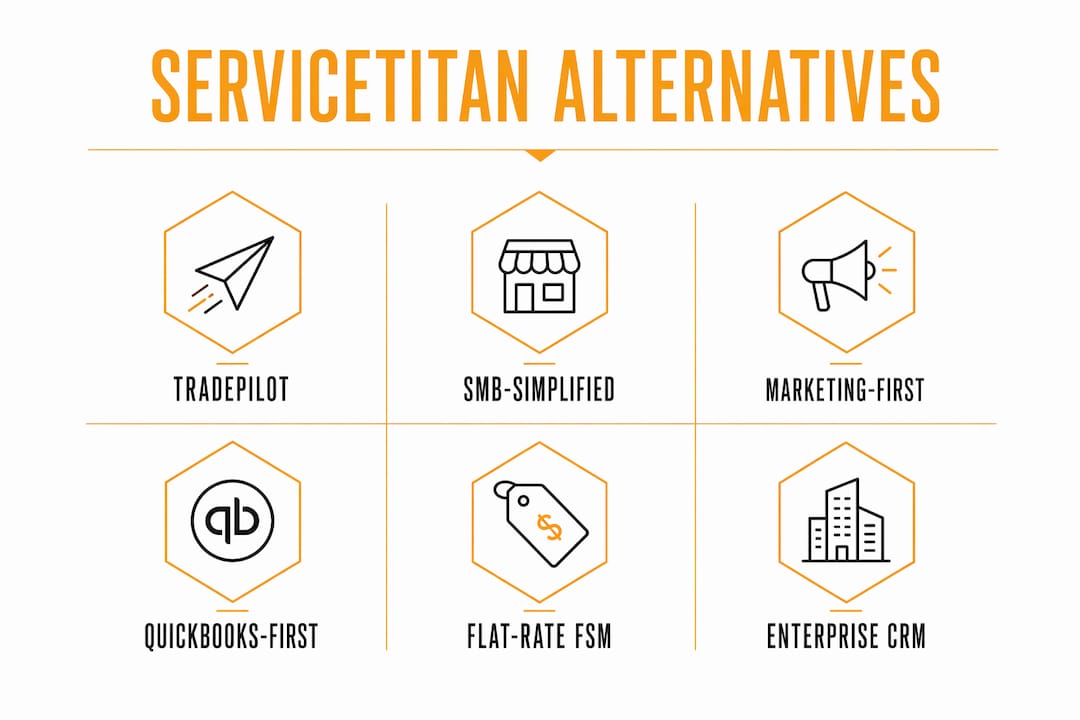
The pattern is clear: the further you move from enterprise scale, the more published pricing and fast deployment become available. Teams under 20 technicians rarely need the depth ServiceTitan offers, and they pay for it in implementation time and admin overhead either way.
Which platform actually fits your trade business?
Tradepilot
Tradepilot is built for HVAC, electrical, and plumbing businesses with field technicians who need dispatch to work without a dedicated software admin babysitting it. The AI matches each job to the right technician by skill, location, and availability in under a second. Pricing is seat-based and published, so you can forecast costs as you hire. Onboarding is measured in days, not weeks.

Pros: AI dispatch reduces mismatched jobs; fast setup; predictable pricing; offline mobile works in basements and dead zones. Cons: Newer platform; enterprise-scale commercial operations may outgrow it faster than a larger FSM.
Pricing transparency: published tiers.
SMB-simplified FSM platforms
Think of this category as the "just works" tier. These platforms strip out enterprise complexity and focus on scheduling, invoicing, and customer communication for residential trade teams. Setup is genuinely fast, often under a week, and the mobile apps are clean enough that technicians adopt them without much training.
Pros: Fast onboarding; intuitive mobile UX; affordable entry pricing. Cons: Limited reporting depth; pricebook management is basic; can feel thin for teams scaling past 15 technicians.
Pricing transparency: published tiers, typically per-user per-month.
Marketing-first FSM platforms
These platforms lead with customer experience: automated review requests, two-way texting, and customer-facing booking portals. If your biggest pain point is repeat business and online reputation rather than dispatch efficiency, this category is worth a demo.

Pros: Strong customer communication tools; good mobile app; solid scheduling. Cons: Dispatch automation is lighter than AI-native platforms; pricebook depth varies; can get expensive as you add features.
Pricing transparency: published tiers with add-on modules.
QuickBooks-first FSM platforms
These are built for shops where the owner lives in QuickBooks and wants field operations to sync cleanly without manual re-entry. The accounting integration is genuinely deep. Scheduling and dispatch are functional but not sophisticated.
Pros: Deep QuickBooks sync; straightforward invoicing; easy for accountants to adopt. Cons: Dispatch and routing are basic; mobile offline support is inconsistent; limited analytics beyond financials.
Pricing transparency: published tiers.
Flat-rate unlimited-user FSM platforms
Per-seat pricing stings when you're adding technicians fast. Flat-rate platforms charge a fixed monthly fee regardless of user count, which makes cost forecasting simple. Feature depth is solid for mid-size teams.
Pros: Predictable cost at scale; good scheduling; pricebook included. Cons: Some advanced features locked behind higher tiers; mobile offline varies by plan.
Pricing transparency: published flat-rate tiers.
Enterprise CRM-backed field service platforms
Salesforce Field Service is the clearest example here. If your operation runs on Salesforce CRM already and you need field service to plug into that ecosystem, this category makes sense. Implementation typically ranges from 60 to 90 days, with a custom quote and a dedicated implementation team.
Pros: Deep CRM integration; advanced AI routing; enterprise-grade reporting. Cons: Implementation can be long and expensive; it may be overkill for most SMBs; pricing is not published.
Pricing transparency: custom quote only.
Implementation time summary:
| Category | Typical implementation |
|---|---|
| Tradepilot | Days |
| SMB-simplified FSM | About a week or less |
| Marketing-first FSM | Days to a couple of weeks |
| QuickBooks-first FSM | About a week or less |
| Flat-rate FSM | 1–3 days |
| Enterprise CRM-backed FSM | 60–90 days |
How to choose the right ServiceTitan alternative for your trade business
The single most important decision hinge is this: pick the platform your technicians will actually use, with pricing that doesn't punish you for growing. Everything else is secondary.
Questions to ask during every demo:
- What does onboarding look like, and what's the realistic go-live timeline for a team our size?
- How does data migration work? Do you provide a CSV mapping template and a test-import environment?
- What happens to the mobile app when a technician loses signal underground or in a rural area?
- What's the contract term, and what are the exit terms if we need to leave?
- Which accounting integrations are native vs. third-party middleware?
- What technician adoption metrics do you track, and can we see benchmarks from similar-size customers?
Red flags to watch for:
- No published pricing anywhere on the website.
- Mandatory 60-plus-day onboarding with no fast-track option.
- Annual contracts with heavy termination fees and no monthly-flex option.
- Mobile app that requires a live connection for every action.
- Vague answers about data export when you ask about leaving.
On migration timing: a realistic sequencing plan for an SMB includes phases such as data prep and cleanup over several weeks, a pilot with a few technicians on live jobs for a short period, phased cutover by crew or trade type over a few weeks, and post-launch training and metric review over about a month. Larger setups with complex pricebooks and asset histories should budget 60–90 days for full migration.
Pro Tip: Don't try to replicate every legacy customization from your old platform. Migration is the best opportunity you'll get to simplify your pricebook, archive dead customer records, and rebuild workflows the way you'd design them today. Teams that migrate clean data into a simpler structure almost always see faster technician adoption than teams that import everything.
Why do trade teams leave ServiceTitan? What the research shows
The primary driver for switching isn't missing features. Research consistently shows it's operational overhead: long implementation cycles, the need for a dedicated admin to manage the platform, and pricing that's hard to forecast because it's never published upfront.
The implementation gap is the starkest signal. Enterprise FSM platforms can take multiple months for larger environments, while SMB-focused alternatives advertise much faster deployments within days to a couple of weeks. For a 10-technician plumbing company, a 90-day implementation isn't just inconvenient. It's a quarter of lost productivity.
The "custom-quote dance" is the other friction point. When a vendor won't publish pricing, SMB owners can't model what the platform costs at 8 technicians vs. 15. That opacity makes budget planning a guessing game, and it tends to favor the vendor at renewal time. Transparent, published pricing materially improves budgeting for trade businesses as they hire.
Practical buying signals to prioritize: technician UX and mobile reliability, published pricing tiers, native QuickBooks integration, and a demo-based pilot on at least one live route before committing.
Ranked list of ServiceTitan alternatives with pros and cons
These are the platforms worth evaluating in 2026, ranked by fit for most SMB trade businesses.
-
Tradepilot — Best overall for HVAC, electrical, and plumbing SMBs. AI dispatch, published pricing, fast onboarding. Pro: technician-first mobile UX. Con: newer platform with a shorter track record than legacy options.
-
Jobber — Best for residential service businesses that want simplicity and clean customer communication. Strong mobile app, published tiers, fast setup. Pro: easy for non-technical owners. Con: dispatch automation is limited.
-
Housecall Pro — Best for customer-experience-focused shops. Automated reviews, two-way texting, solid scheduling. Pro: marketing tools are genuinely useful. Con: can get expensive with add-ons.
-
FieldPulse — Best for growing teams watching per-seat costs. Flat-rate pricing, solid pricebook, good mobile. Pro: unlimited users on higher tiers. Con: reporting depth is moderate.
-
FieldEdge — Best for QuickBooks-first operations. Deep accounting sync, straightforward invoicing. Pro: accountants love it. Con: dispatch and routing are basic.
-
Workiz — Best for call-tracking and communication-heavy dispatch operations. Strong phone/SMS integration. Pro: great for franchises and multi-location shops. Con: pricebook management is lighter.
-
mHelpDesk — Best for small teams that need a simple all-in-one. Affordable entry pricing, basic scheduling. Pro: easy to learn. Con: limited scalability past 10 technicians.
-
Salesforce Field Service — Best for commercial operations already on Salesforce CRM. Enterprise-grade routing and reporting. Pro: unmatched CRM depth. Con: 60–90 day implementation, custom pricing, significant admin overhead.
What does data migration from ServiceTitan actually involve?
Migration is where most switching projects stall. The honest picture: complex pricebooks, asset histories, and custom workflows commonly push full migrations to 60–90 days for larger implementations. Smaller platforms can finish core migration in one to two weeks, but pricebook cleanup always adds time regardless of platform size.
The practical challenges break into three buckets. First, data quality: customer records accumulated over years often contain duplicates, outdated equipment histories, and inconsistent formatting that no import tool fixes automatically. Second, pricebook complexity: if your current pricebook has hundreds of custom line items, flat-rate bundles, and trade-specific pricing tiers, mapping those to a new schema takes deliberate work. Third, workflow translation: custom automations and dispatch rules in one platform rarely map one-to-one to another.
What to ask vendors before signing: request a migration playbook that includes a CSV mapping template, a test-import environment, a pilot plan with measurable acceptance criteria, and explicit SLAs for support during cutover. A vendor that can't produce this document during the sales process is telling you something about how they handle problems after you've signed.
The sequencing that works: clean your data first, migrate a subset of active customers and your current pricebook (not the full archive), run a two-week live pilot with two to three technicians, then cut over the full team. Archive the legacy data rather than importing it all.
How does customer support compare across alternatives?
Support quality is one of the sharpest differentiators in this category, and it's one of the hardest to evaluate from a sales demo. Gartner Peer Insights places support and deployment experience near the top of evaluation criteria for FSM buyers, alongside integration depth.
Enterprise platforms typically assign a dedicated customer success manager, which sounds good until you realize that CSM is also managing 40 other accounts. SMB-focused platforms often offer chat and email support with faster first-response times because their support teams are sized for smaller, higher-volume interactions.
A few patterns worth knowing: platforms with published pricing tend to have more self-serve documentation and community forums, because their customers are more independent by nature. Platforms with custom pricing tend to bundle "white-glove" onboarding into the contract, which can be genuinely valuable or can be a way to justify a higher price for something you could do yourself in a week.
The most useful test: during your trial or demo, submit a support ticket with a real question and measure the response time and quality. That's more predictive than any sales promise about support SLAs.
What do real users say about these platforms?
G2 reviews for ServiceTitan consistently highlight its depth and reporting as strengths, with implementation complexity and pricing opacity as the most common complaints. Users on smaller teams frequently note that the platform requires more admin time than they expected.
Jobber reviews on G2 skew positive for ease of use and customer communication, with the most common limitation being dispatch automation depth. Teams that outgrow basic scheduling tend to hit the ceiling around 15–20 technicians.
Housecall Pro earns strong marks for its marketing and customer-facing tools. The recurring theme in critical reviews is pricing: the platform's add-on structure means the monthly cost can climb faster than expected as you activate features.
FieldEdge reviews emphasize QuickBooks integration as the standout strength. Users who care primarily about clean accounting sync rate it highly; users who want sophisticated dispatch or routing find it limited.
Workiz gets consistent praise for its communication tools and multi-location support. Pricebook management and reporting depth are the most cited gaps.
mHelpDesk reviews reflect its positioning: affordable, simple, and functional for small teams. Scalability is the consistent concern once teams grow past single digits.
FieldPulse earns positive marks for its flat-rate pricing model and pricebook tools. Users note the mobile app has improved significantly, though some advanced reporting features require higher tiers.
Salesforce Field Service reviews split sharply by company size. Enterprise users rate it highly for power and integration depth. SMB users who attempted it frequently cite implementation cost and complexity as reasons they switched away.
Key Takeaways
The strongest ServiceTitan alternatives for SMB trade businesses prioritize fast onboarding, published pricing, and technician-first mobile UX over enterprise feature depth.
| Point | Details |
|---|---|
| Technician adoption drives ROI | Measure daily active technician rate, time-per-job, and first-time-fix rate in the first 90 days. |
| Implementation gap is real | SMB-focused platforms deploy in 1–3 days; enterprise FSM implementations take 60–90 days. |
| Demand published pricing | Require pricing in writing before signing; custom-quote-only vendors make budget forecasting unreliable. |
| Clean data before migrating | Budget two to four weeks for data cleanup; importing messy records extends timelines and hurts adoption. |
| Tradepilot fits most SMBs | AI dispatch, seat-based published pricing, and fast onboarding make Tradepilot the recommended pick for HVAC, electrical, and plumbing teams under 50 technicians. |
What most migration guides get wrong about switching platforms
The conventional wisdom on switching FSM platforms focuses almost entirely on feature checklists: does the new platform have scheduling, invoicing, pricebook management, and QuickBooks sync? Check, check, check, check. Sign the contract.
That framing misses the actual failure mode. Most FSM migrations that go badly don't fail because the new platform lacked a feature. They fail because technicians didn't adopt it, and technicians didn't adopt it because the mobile UX was clunky, offline behavior was unreliable, or the platform was configured to replicate every legacy complexity instead of being rebuilt clean.
The platforms that win technician adoption share one trait: they make the technician's job easier on the first day, not after three weeks of training. That means a mobile app that works without a signal, job details that load in one tap, and dispatch assignments that arrive with the right information already attached. When a technician can complete a job, generate an invoice, and collect payment without calling the office, that's when the platform pays for itself.
The second thing most guides underweight is contract structure. A platform that costs $200/month more than the alternative but comes with a monthly-flex contract is often the better financial decision than a cheaper platform locked into a two-year annual contract with a 60-day termination notice. Model the exit cost, not just the entry cost.
Tradepilot is built for trade teams that can't afford a 90-day onboarding
Most of the platforms in this article solve pieces of the problem. Tradepilot solves the whole dispatch-to-invoice loop for HVAC, electrical, and plumbing businesses without requiring a dedicated software admin or a multi-month implementation.

The AI matches every job to the right technician by skill, availability, and location in under a second. Inventory and invoicing live in the same platform. QuickBooks sync is native. Pricing is seat-based and published, so you know exactly what you're paying as your team grows. Onboarding is measured in days.
If you're evaluating ServiceTitan alternatives and want to see how Tradepilot handles your actual dispatch volume, start a trial or book a demo at tradepilotnet.com. Bring your real job data. The pilot will tell you everything the sales deck won't.
Sources and further reading
- Gartner Peer Insights: ServiceTitan FSM Alternatives 2026 — Independent buyer reviews covering integration, deployment, and support evaluation criteria.
- B2BSalesTools: Best ServiceTitan Alternatives 2026 — Analyst commentary on switching drivers, pricing transparency, and SMB buyer priorities.
- Shifton: Best ServiceTitan Alternatives for Field Service — Implementation-time estimates and migration guidance from field reports and vendor roundups.
- CB Insights: ServiceTitan Alternatives & Competitors — Market map and category breakdowns for FSM platform positioning.
- G2 Reviews: ServiceTitan, Jobber, Housecall Pro, FieldEdge, Workiz, mHelpDesk, FieldPulse, Salesforce Field Service — User review aggregates for platform-specific reputation and rating signals.
- Tradepilot — AI-powered dispatch, invoicing, inventory, and analytics for HVAC, electrical, and plumbing businesses.