Every field service business using GPS or telematics needs a written technician tracking policy that limits monitoring to specific business purposes and work hours. That policy must state exactly what gets tracked, when, who can see it, how long it's kept, and require signed technician acknowledgment. Skip any one of those elements and you're exposed, both legally and in terms of team trust.
TL;DR:
- A technician tracking policy must explicitly list assets, purposes, tracking hours, access controls, data retention, and consent requirements to be legally sound and trustworthy.
- Using geofences and limiting tracking to scheduled work hours prevents privacy breaches, especially when managing company vehicles or BYOD devices outside of work.
- Signed acknowledgment from technicians is essential to defend against disputes and ensure understanding; verbal notices are insufficient legally.
- Businesses should keep data retention between 90 to 180 days, and ensure vendors encrypt data and notify breaches to minimize legal and security risks.
- Transparent introduction and ongoing communication about tracking purpose and scope help maintain technician trust and reduce disputes.
Table of Contents
- Why Bother With a Technician Tracking Policy at All
- What Your Written Technician Tracking Policy Must State
- Legal and Privacy Rules You Cannot Skip
- Turning Policy Language Into Platform Settings
- Rolling Out the Policy Without Losing Technician Trust
- What's Fine, What's Conditional, and What's Off Limits
- How TradePilot Turns This Checklist Into Daily Practice
- A Reasonable Line Between Accountability and Respect
- Templates and Legal Resources Worth Reviewing
- Sources
Why Bother With a Technician Tracking Policy at All
Tracking technicians isn't about watching over shoulders. It's about proving work happened, catching problems before customers do, and protecting your business when a claim or dispute lands on your desk.
Legitimate business purposes for tracking include verifying on-time arrivals, confirming first-time fix rates, running safety checks on remote job sites, recovering stolen vehicles or equipment, and substantiating mileage for tax or reimbursement purposes. Each of these ties directly to money, either money you keep or money you're forced to spend defending a claim.
The City of Saint Paul's electronic tracking policy is worth studying here, even though it governs a municipal workforce rather than a private trade business. It defines "electronic tracking technology" plainly, names the assets covered, and states outright that employees using city equipment have no expectation of privacy during work hours. That clarity is the model. Private employers should copy the precision, not the scope.
Here's what tracking data actually gets used for once it exists:
- Insurance claims: A logged arrival and departure time on a job site can settle a liability dispute in hours instead of weeks.
- Customer disputes: When a customer says "the tech was never here," GPS timestamps end the conversation.
- Payroll accuracy: Clock-in and clock-out data tied to location catches buddy punching and inflated drive time.
- Theft recovery: A tracked service vehicle or high-value tool gets recovered faster, sometimes before it's even reported missing.
Pro Tip: Pull your no-show rate and mean time to service for the last quarter before you roll out any tracking policy. Those two numbers make the strongest internal case for why the policy exists, and they give you a baseline to measure against six months later.
The KPIs worth tracking after rollout: no-show rate, mean time to service, technician utilization, first-time fix rate, and disputed-time incidents (cases where a technician disputes logged hours or location). Businesses that pair tracking with route optimization tend to see utilization climb because dispatchers can see, in real time, which techs are actually free rather than just scheduled as free. According to field service industry reporting, businesses that pair tracking with clear communication typically see fewer no-shows and stronger customer trust, since dispatch can proactively flag delays instead of leaving customers guessing.
None of that works without a policy that technicians actually read and sign. Tracking without documentation is just surveillance with extra steps.
What Your Written Technician Tracking Policy Must State
A policy that protects your business and respects your technicians needs specific language, not vague reassurances. Here's the checklist, in the order it should appear in the actual document.
- Tracked assets, named explicitly. List every category: company vehicles, telematics units, company-issued phones or tablets, and any tagged equipment or tools. Vague language like "company property" invites confusion later.
- Authorized business purposes, stated plainly. Spell out dispatch verification, route confirmation, safety monitoring, mileage substantiation, and theft recovery. Then explicitly prohibit uses outside those purposes, such as monitoring personal errands or off-duty movement.
- Temporal rules for when tracking is active. Define scheduled work hours, geofence boundaries around job sites or the service area, and any emergency exceptions where after-hours tracking might briefly apply (a stolen vehicle recovery, for instance).
- Access controls and who can view the data. Name the roles, dispatcher, operations manager, owner, that can see tracking data, and state that access is logged and audited.
- Data types collected and retention period. List GPS coordinates, timestamps, speed data if collected, and clock-in/out records. State a specific retention window and the deletion process once that window closes.
- Consent and BYOD handling. If technicians use personal phones for work apps, require a separate signed acknowledgment covering that device, with a stated ability to disable tracking outside working hours.
LegalClarity's guidance on GPS tracking policies backs up nearly every one of these points: name the assets, list the purposes, set the hours, address BYOD separately, and get a signature. Skipping the signature is the most common mistake trade businesses make. Verbal notice isn't documentation. If a dispute ever reaches a labor board or small claims court, the signed acknowledgment is the piece of paper that matters.
Pro Tip: Keep the policy under two pages. A ten-page legal document nobody reads defeats its own purpose. Technicians need to understand it in five minutes, not need a lawyer to translate it.
One line that belongs near the top of every policy, borrowed from the municipal model: tracking devices may not be disabled, tampered with, or removed by the employee without prior authorization from a supervisor. It closes an obvious loophole before it opens.
Legal and Privacy Rules You Cannot Skip
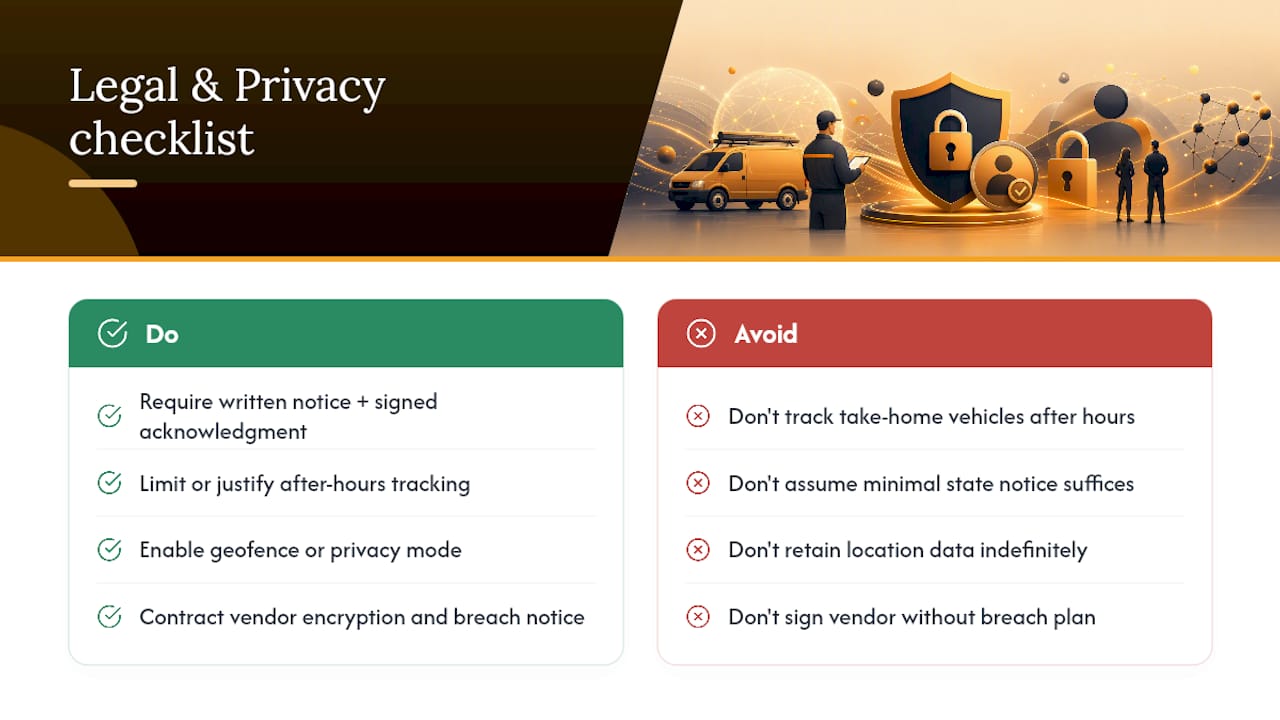
State notice requirements for GPS and location tracking vary, and that variation is the trap. Some states require nothing more than general notice; others expect written disclosure before tracking begins. The safest move is to adopt the highest common standard everywhere you operate: written notice plus a signed acknowledgment, regardless of what the minimum bar happens to be in any single state.
Take-home vehicles create the thorniest gray area. Tracking a company truck a technician drives home at night, off the clock, edges into monitoring personal time. Either avoid after-hours tracking on take-home vehicles entirely, or narrowly justify it (recovery of a high-value vehicle, for instance) and say so in writing. Geofence-based tracking or a privacy mode that suspends location logging outside scheduled hours solves most of this cleanly.
BYOD situations need the same treatment, just tighter. If a technician's personal phone runs your dispatch app, that consent has to be explicit and separate from the general policy, and the technician needs a real off-switch outside working hours.
Municipal and public-employer tracking policies often remove any expectation of privacy entirely and explicitly forbid tampering with tracking devices. Private employers should mirror that clarity without mirroring the scope. A city fleet policy can reasonably claim broad authority over city-owned assets during work hours. A private trade business tracking a technician's personal phone at 9 p.m. on a Saturday cannot make the same claim.
Retention is a business decision, not just a legal one. Timeero's policy-builder guidance points to a practical range: 90 to 180 days covers most operational needs, with some businesses extending to 12 to 24 months when insurance or litigation exposure justifies it. Purge data once the window closes. Data you don't have can't be subpoenaed, leaked, or misused.
Vendor contracts deserve a hard look too. Whatever FSM platform or telematics provider you use should contractually commit to encryption of stored location data and clear breach-notification obligations, per security-focused policy guidance. If your vendor can't answer "what happens if this data leaks," that's a red flag worth acting on before signing anything.
Turning Policy Language Into Platform Settings
A policy is just words until it's configured into the software your technicians actually use every day. Here's where the written rules become real settings.
- Restrict tracking to scheduled work hours or clock-in status. Most FSM platforms let you tie location tracking directly to a technician's shift or active job status, so the moment they clock out, tracking stops.
- Use geofences for arrival and departure instead of continuous tracking. Capturing a timestamp when a technician enters or leaves a job site gives you the proof you need without logging a constant, second-by-second trail.
- Give technicians visibility into their own logs. Letting a tech see their own clock timestamps and location history, rather than treating that data as management-only, is one of the fastest ways to build trust.
- Set role-based access with multi-factor authentication for viewers. Anyone pulling up tracking data should need more than a password, and every access event should be logged for audit.
- Log and audit who views tracking data, and when. This protects the business as much as the technician; if data is ever misused, you need a record of who touched it.
Pro Tip: Run a 30-day pilot with a small crew before rolling tracking out company-wide. Ask them directly what feels invasive, adjust the geofence radius or retention window based on that feedback, then expand. A pilot catches the configuration mistakes that a policy document never will.
Whether your platform supports continuous vehicle telematics or only periodic location stamps depends heavily on the vendor and plan tier, so confirm the actual capability before writing a policy that promises more precision than the software delivers. Pair tracking configuration with ETA notification setup so the same location data that protects your business also improves the customer experience in real time.
Rolling Out the Policy Without Losing Technician Trust
How you introduce tracking matters almost as much as what the policy says. A policy dropped on technicians with no warning reads as surveillance. The same policy, introduced with context, reads as accountability.
- Announce the purpose before the technology. Explain why tracking is being introduced, on-time performance, safety, insurance protection, before anyone sees a new app permission request.
- Show the actual configuration. Demonstrate the geofence boundaries and work-hour limits directly to the team. Seeing that tracking literally cannot run at 8 p.m. on a Tuesday does more to build trust than any written assurance.
- Distribute the written policy and consent form together. Require a signature, and give technicians time to ask questions before signing.
- Train on the practical basics. Cover how to view personal logs, how to flag a timestamp error, and what privacy protections apply to BYOD devices.
- Build in a dispute process. Technicians should be able to review and correct a disputed log entry before any disciplinary action is taken based on it.
- Schedule periodic policy audits. Revisit the policy every six to twelve months, document what changed and why, and communicate updates the same way you communicated the original rollout.
Industry reporting on technician trust backs this up directly: complaints cluster around after-hours tracking and a lack of transparency, and giving technicians access to their own logs measurably reduces disputes. Transparency isn't a soft add-on here. It's the mechanism that makes the whole policy defensible.
What's Fine, What's Conditional, and What's Off Limits
Some uses of tracking data are clearly fine: ETA notifications to customers, verifying routes for accurate billing, emergency dispatch to the nearest available technician, and theft recovery on stolen vehicles or equipment.
Other uses are conditional. Coaching a technician on driving habits or route efficiency using telemetry data is reasonable, but automatic discipline triggered by an algorithm without human review is not.
Continuous, 24/7 monitoring of a technician's personal movements is off limits, full stop, and so is covert tracking of any kind. If a technician doesn't know tracking exists, the policy has already failed.
How TradePilot Turns This Checklist Into Daily Practice
TradePilot's AI dispatch engine matches jobs to technicians by skill, availability, and location, which is exactly the kind of business purpose a defensible tracking policy names explicitly. Customers typically configure work-hours-only tracking, geofenced arrival alerts, and role-based access as their first three settings.
For the pieces that connect tracking data to daily operations, TradePilot's guides on ETA notifications, route optimization, and capacity planning walk through the configuration side in more detail.
A Reasonable Line Between Accountability and Respect
The businesses that get tracking right lead with transparency, keep retention windows short, and use the data to coach rather than punish. The ones that get it wrong treat location data as a leash instead of a tool, and they lose good technicians over it. Business outcomes and technician dignity aren't actually in tension here. Written well, a policy protects both.
— Mark
Templates and Legal Resources Worth Reviewing
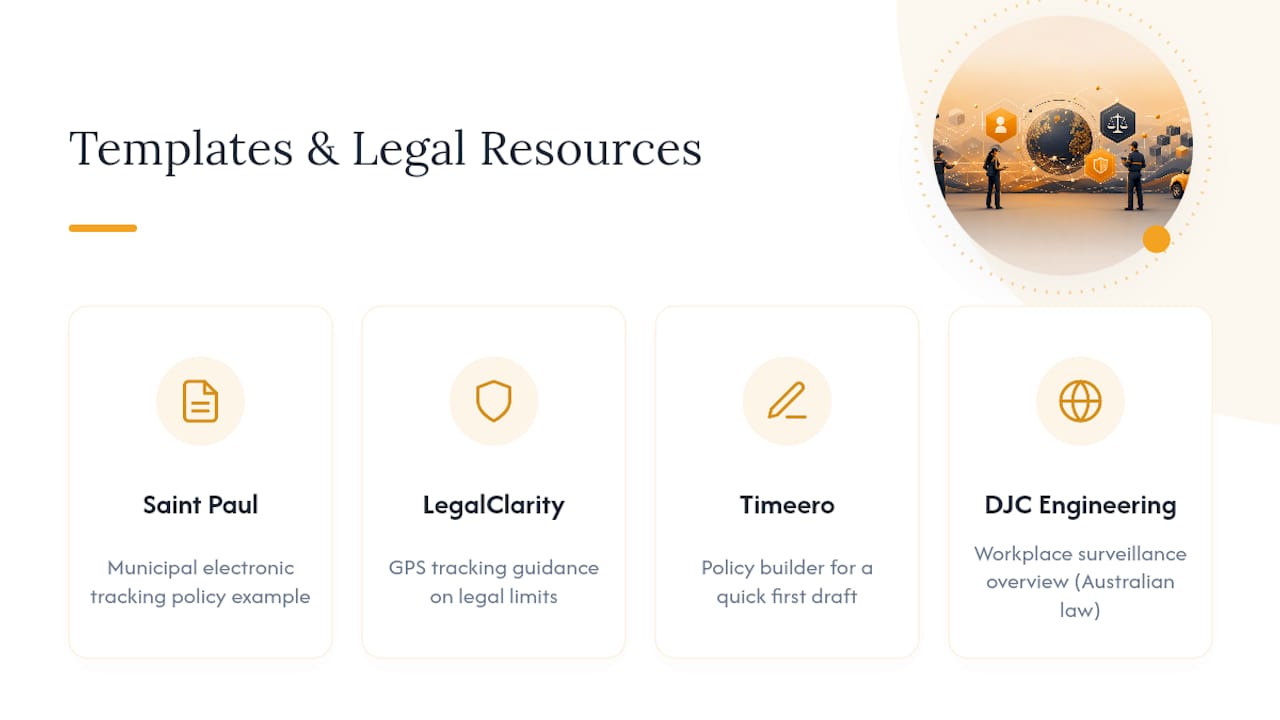
Start with the Saint Paul electronic tracking policy for real municipal wording, LegalClarity's GPS tracking guidance for legal limits, and Timeero's policy builder for a fast first draft. For a broader look at surveillance governance principles, DJC Engineering's workplace surveillance overview is worth a read, though it reflects Australian law rather than U.S. rules.
Ready to pair your policy with dispatch software built for accountability from the start? TradePilot matches every job to the right technician by skill, availability, and location, and gives you the configuration controls this article just walked through, work-hours limits, geofencing, and role-based access, out of the box.
Sources
- Electronic Tracking Technology Policy — City of Saint Paul
- Field technician tracking: GPS, privacy & trust — Field Service Software blog
- Create a Compliant GPS Tracking Policy for Your Field Team — Timeero