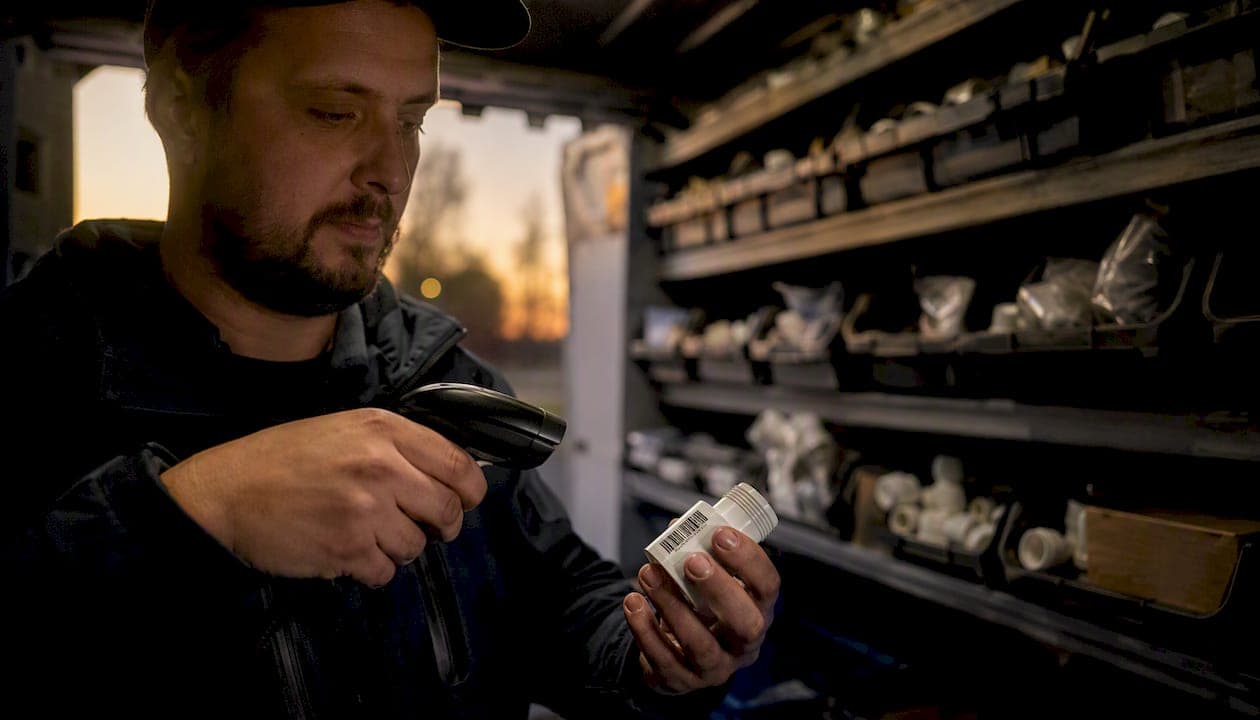
Use an integrated field-service platform with mobile scanning, truck-level stock, and invoicing sync to track plumbing inventory across vans and warehouses. That's the short answer. The longer answer is that most plumbing businesses lose material revenue not in the warehouse but on the truck, where parts disappear into jobs without ever hitting an invoice. Fix that first.
Start here: pick one truck, load your top 50 parts into a mobile inventory app, and scan every part to a job for two weeks. You'll see the gap between what left the van and what got billed. That gap is your ROI case for a full rollout.
Quick wins you get from proper plumbing inventory tracking:
- Fewer emergency supply runs to the hardware store mid-job
- Accurate job costing because every part is tagged to a work order
- Lower dead stock sitting in vans or on warehouse shelves
- Faster invoicing because materials are already logged when the job closes
- Clear technician accountability for what was used and what came back
Key Takeaways
Integrated plumbing inventory tracking, connecting van stock, job scanning, and invoicing in one platform, is the most reliable way to recover unbilled materials and cut emergency supply runs.
| Point | Details |
|---|---|
| Start with one truck | Run a two-week pilot on a single van to measure your unbilled materials gap before rolling out fleet-wide. |
| Truck stock is the real gap | Most material losses happen on vans, not in the warehouse; treat each van as a distinct inventory location with its own par levels. |
| Must-have features | Prioritize offline mobile scanning, job-to-invoice parts flow, and accounting sync; missing any one of these breaks the ROI chain. |
| Enforce scanning consistently | Weekly review of zero-materials jobs is the single most effective habit for maintaining scanning discipline across the team. |
| Tradepilot recommendation | Tradepilot connects AI dispatch, truck-level inventory, and invoicing in one platform, making it the recommended solution for plumbing fleets. |
Table of Contents
- What does plumbing inventory management actually cover?
- Why good plumbing inventory tracking pays for itself
- What exactly should you track, and what fields matter?
- How inventory tracking works in the field
- How to manage warehouse replenishment and par levels
- What features should you look for in plumbing inventory software?
- How to implement plumbing inventory tracking step by step
- Why integrating inventory with dispatch and invoicing delivers the highest ROI
- How Tradepilot solves plumbing inventory tracking for contractors
- Sources
What does plumbing inventory management actually cover?
Plumbing inventory management covers every physical item your business owns or consumes across four locations: service vans, the central warehouse, job sites, and the shop. That's a wider scope than most managers initially think.
The categories you're tracking:
- Consumables: pipe fittings, couplings, Teflon tape, solder, flux, PVC cement
- Fixtures and assemblies: faucets, valves, water heaters, pressure regulators
- Spare parts: wax rings, cartridges, fill valves, expansion tanks
- Serialized high-value tools: pipe cameras, leak detectors, press tools
- Kits: pre-assembled repair kits staged per van for common call types
A part's lifecycle looks like this: it arrives at the warehouse, gets received and logged, moves to a van during a morning restock, gets scanned out when a technician uses it on a job, and then flows directly into the invoice before the tech drives away. Every step in that chain either creates a record or loses money. The goal of plumbing supplies tracking is to make sure no step is invisible.
Why good plumbing inventory tracking pays for itself
The business case is straightforward. Every part that leaves a van without being charged to a job is pure margin loss. Multiply that across a five-truck fleet running four jobs a day and the number gets uncomfortable fast.
Core benefits:
- Recovered material revenue: linking parts used to invoices creates an auditable trail that reduces unbilled materials and gives you evidence in customer disputes
- Fewer emergency runs: when par levels trigger restock alerts, technicians leave the shop with what they need instead of stopping at a supply house mid-job
- Accurate job costing: knowing the real material cost per job lets you price future work correctly and spot jobs that are bleeding margin
- Faster billing cycles: materials are already logged when the job closes, so invoices go out the same day instead of waiting for a tech to remember what they used
- Purchasing leverage: consolidated purchase history across all vans shows your actual usage, which gives you data to negotiate volume pricing with suppliers
Operational confidence matters too. When dispatch knows which van has the parts a job requires, scheduling becomes more precise. Fewer callbacks happen because the right parts were on the truck the first time. That's the connection between inventory control for plumbing and dispatch quality: they're the same problem viewed from different angles.
What exactly should you track, and what fields matter?
Start with the items that move most often and cost the most when they go missing. High-frequency consumables and serialized tools are the two ends of the spectrum, and they need different treatment.
Building your inventory template
A solid starting template includes these fields for every item. Resources like Smartsheet's inventory list templates and ProjectManager's inventory template give you downloadable structures you can adapt for a CSV import into most field-service apps.
| Field | Purpose |
|---|---|
| Item name | Plain-language description (e.g., "1/2 in. SharkBite coupling") |
| SKU / part number | Supplier or internal code for scanning |
| Location | Van ID or warehouse bin (e.g., "Van 3") |
| Unit cost | Current supplier price for job costing |
| Par level (van) | Minimum quantity before restock trigger fires |
| Par level (warehouse) | Minimum before a purchase order is suggested |
| Serialized flag | Yes/No — tracks individual units by serial number |
| Job tag | Work order number the item was consumed on |
What to onboard first
Don't try to load your entire catalog on day one. Prioritize:
- The 20 fittings and consumables your techs grab on almost every call
- Any item with a unit cost above $25 (fixtures, valves, cartridges)
- All serialized tools (pipe cameras, press tools, leak detectors)
- Pre-built kits staged per van for your most common job types
Pro Tip: Treat reusable tools and consumables differently from the start. Consumables get a par level and a job-consumption record. Serialized tools get a check-out/check-in log tied to a technician, not just a job. Mixing the two workflows creates confusion during audits.
Setting initial par levels is easier than it sounds. Pull your last 90 days of supplier invoices, divide total units ordered by the number of weeks, and set the par at 1.5 times that weekly average. Adjust after your first month of live data.
How inventory tracking works in the field
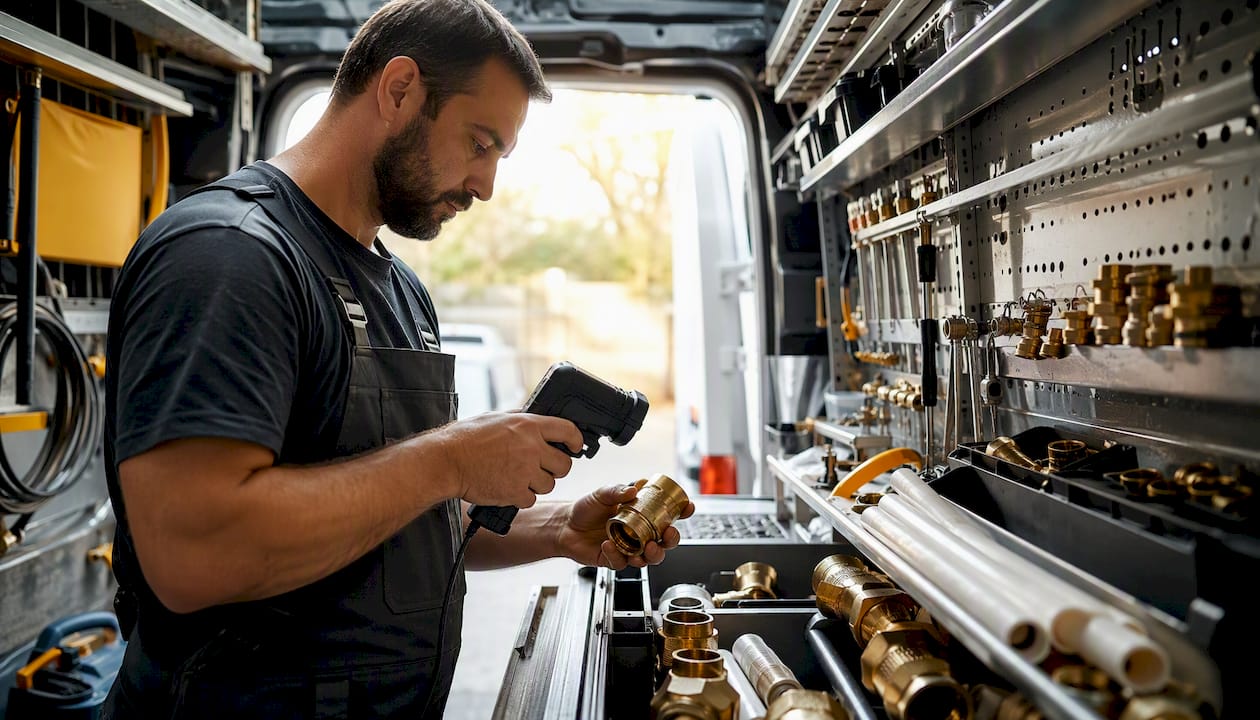
The warehouse is the easy part. The hard part is getting technicians to scan consistently when they're under a sink with no signal and a customer standing over them. The workflow has to be fast enough that scanning feels like less work than not scanning.
The technician's daily routine
Job start:
- Review the work order in the mobile app before leaving the shop
- Confirm the van has the parts listed on the job (the app shows van stock in real time)
- If a part is missing, flag it before driving to the job, not after arriving
During the job:
- Scan each part before installing it, tagging it to the open work order
- For parts without barcodes, use the app's search-by-name or photo-match function
- If you're in a basement or crawlspace with no signal, the offline scanning mode queues every scan and syncs automatically when signal returns
Job close:
- Scan any unused parts back into van stock
- Confirm the materials list in the app matches what's on the work order
- Close the job, which pushes materials directly to the invoice draft
Guidance for technicians
- Scan before you install, not after. Post-job recall is unreliable.
- Attach a photo when a part number is unclear or a substitution was made.
- Never mark a part as "returned to van" without physically scanning it back in.
- If the app shows a part as out of stock but you know it's on the van, flag the discrepancy to the office immediately rather than working around it.
Supervisor audit checklist
Weekly van spot-checks keep the data honest:
- Pull the app's van-stock report and physically count three to five high-value items
- Compare the count to the system record; log any variance
- Review the week's jobs for any work orders with zero materials charged (a common sign of unscanned parts)
- Follow up with the technician on any missing-item variance before the next week starts
How to manage warehouse replenishment and par levels
Each van should be treated as its own inventory location, a distinct "folder" in your system with its own par levels and restock history. That separation is what makes van-level tracking meaningful: you can see that Van 2 burns through 1/2-inch ball valves twice as fast as Van 4 because of the neighborhoods it covers, and stock accordingly.
Setting par levels that actually work
Par levels are not one-size-fits-all. A van running commercial jobs needs different stock than one doing residential service calls. Start with these principles:
- Van par: the minimum quantity that keeps a tech from running out mid-week under normal call volume
- Warehouse par: the minimum that lets you restock all vans without placing an emergency order
- Reorder point: when warehouse stock hits the par level, the system suggests a purchase order automatically
Replenishment flow
- Min/max triggers: when a van item drops below its minimum, a restock request routes to the warehouse. When the warehouse item drops below its minimum, a PO suggestion routes to the purchasing manager.
- Batch restocks: combine restock requests from multiple vans into a single warehouse pull each morning rather than running individual trips throughout the day.
- Supplier lead times: build lead time into your warehouse par. If your main supplier takes three days to deliver, your warehouse par should cover at least four days of average consumption across all vans.
- PO consolidation: group items from the same supplier into one PO rather than sending multiple small orders. Most apps let you filter suggested reorders by supplier and approve them in a single action.
A simple rule: if your techs are stopping at a supply house more than once a week, your par levels are too low or your restock process is too slow. Both are fixable with the right data.
What features should you look for in plumbing inventory software?
The market for field service apps has matured enough that most platforms cover the basics. The differentiators are in the details, and a few missing features can make an otherwise decent tool useless for a plumbing fleet.
Must-have features
- Mobile app with offline scanning: non-negotiable for crews working in basements and crawlspaces. If the app requires a live connection to log a scan, your data will have gaps every single day.
- Truck/van as a distinct inventory location: each van needs its own stock record, par levels, and restock history. A flat "field inventory" bucket that lumps all vans together is not truck-level tracking.
- Job-based parts-to-invoice: parts scanned on a job should flow directly into the invoice draft. Any manual re-entry step between scanning and billing is a revenue leak waiting to happen.
- QuickBooks or accounting integration: material costs need to hit your books without double entry. Verify the sync is bidirectional and handles unit costs, not just line-item descriptions.
- Barcode and QR code support: your techs should be able to scan supplier barcodes on packaging, not just custom labels you print yourself.
- Audit logs: every stock movement should carry a timestamp, a user ID, and a job reference. Without this, you can't investigate variances.
- Par-level automation: the system should flag low stock and suggest reorders without requiring a manager to run a manual report.
Nice-to-have features
- Automated PO generation from reorder suggestions
- Supplier price comparison across multiple vendors
- Kitting (pre-assembling common repair kits and tracking them as a single unit)
- Tool check-out/check-in with technician assignment
- Basic analytics: top-consumed items by van, job-type material cost averages, slow-moving stock
Red flags to watch for
- No offline mode in the mobile app
- Integrations that only push data one way (inventory to accounting, but not back)
- No parts-to-invoice trace, meaning materials and billing are managed in separate systems
- Pricing models that charge per scan or per item rather than per seat or per user
- No ability to assign stock to a specific van or technician
For pricing expectations, most seat-based SaaS platforms for field service run on monthly subscription tiers. Reviewing dispatch software cost benchmarks gives you a realistic range before you enter vendor negotiations.
Demo checklist
When you trial a platform, test these scenarios specifically:
- Scan a part in airplane mode and confirm it syncs when you reconnect
- Close a job and verify materials appear in the invoice draft automatically
- Drop a van item below its par level and confirm a restock alert fires
- Run a variance report for a single van over a one-week period
- Confirm the QuickBooks sync pushes material costs with the correct cost-of-goods account
How to implement plumbing inventory tracking step by step
A full fleet rollout in four to eight weeks is realistic for most small plumbing operations. The key is starting with one truck and treating the first two weeks as a data-gathering exercise, not a perfection exercise.
Phase 1: Pilot (weeks 1–2)
- Choose one van and one technician who is willing to give honest feedback.
- Load the top 50 items for that van into the app using a CSV import from your existing spreadsheet or supplier invoice history.
- Set par levels using the 90-day average method described earlier.
- Capture baseline metrics before the pilot starts: number of supply-house runs per week, average time from job close to invoice sent, and any known unbilled materials from the previous month.
- Have the technician scan every part used for two full weeks. Don't enforce perfection; just collect data.
- At the end of week two, compare materials scanned to materials invoiced. The gap is your baseline recovery opportunity.
Phase 2: Training and rollout (weeks 3–6)
- Run a 30-minute training session for all technicians covering the three core actions: scan out, tag to job, scan returns.
- Train office staff on the restock request workflow and how to review the daily materials report.
- Roll out one additional van per week, using the pilot van's technician as a peer trainer.
- Set a firm policy: no job can be closed without a materials list attached. The app should enforce this with a required field.
- Celebrate the first week a technician's van shows zero variance between scanned and invoiced materials. Make the win visible to the whole team.
Phase 3: Audit cadence (week 7 onward)
- Weekly: spot-check two to three vans against the system record.
- Monthly: review slow-moving stock across all vans and the warehouse; adjust par levels based on actual consumption data.
- Quarterly: run a full physical count and reconcile against the system. The gap should shrink each quarter as scanning discipline improves.
The single biggest rollout failure is skipping enforcement. If technicians can close jobs without scanning, most of them will, especially on busy days. The system has to require it, and managers have to follow up on exceptions every week without exception.
Why integrating inventory with dispatch and invoicing delivers the highest ROI
The Inbound Logistics guide to plumbing inventory software makes the case plainly: integrated inventory tied to dispatch and invoicing stops unbilled materials and reduces emergency supply runs. Managing inventory in isolation, separate from scheduling and billing, means the data never closes the loop.
Here's why the integration matters more than the inventory feature itself. When dispatch knows which van has the parts a job requires, the right technician gets assigned to the right job with the right stock. That's not just an efficiency gain; it's a revenue protection mechanism. A tech who arrives without the needed part either makes an emergency run (costing time and fuel) or reschedules (costing customer satisfaction and a second truck roll).
Software that links parts used on a job directly into invoices recovers material costs and creates an auditable trail for customer disputes. The metrics worth tracking once you're live:
- Percentage of jobs with at least one material line item charged: a healthy number for a service plumbing operation is close to 100%. Any job showing zero materials is a flag.
- Emergency supply-run frequency per van per week: track this before and after rollout. A drop here is one of the clearest ROI signals.
- Average time from job close to invoice sent: materials already logged at job close should cut this to same-day for most jobs.
- Material cost variance per job type: if your drain-cleaning jobs are consistently showing higher material costs than your estimates, the data will surface it.
Consider a straightforward example: a technician replaces a pressure-reducing valve and two fittings. Without scanning, those parts might get billed, or they might not, depending on whether the tech remembers to add them to the work order back at the shop. With job-linked scanning, the parts are on the invoice before the tech leaves the driveway. Multiply that across 20 jobs a day and the recovered revenue adds up to a number that justifies the software cost within the first month.
Industry association resources from organizations like NAHB reinforce that operational discipline around materials management is a consistent differentiator between contractors who grow profitably and those who stay flat.
How Tradepilot solves plumbing inventory tracking for contractors
Tradepilot is built for exactly this problem. It's a single platform covering AI-powered dispatch, real-time inventory tracking, invoicing, and analytics for HVAC, electrical, and plumbing fleets. The inventory module isn't bolted on as an afterthought; it's connected to dispatch and invoicing by design, which is what makes the integration ROI real rather than theoretical.
Feature highlights for plumbing contractors:
- Truck-level stock tracking: each van is a distinct inventory location with its own par levels, restock history, and consumption data
- Mobile scanning with offline mode: techs can scan parts in basements and crawlspaces; scans queue and sync when signal returns
- Job-to-invoice materials flow: parts scanned on a job populate the invoice draft automatically, with no manual re-entry
- QuickBooks sync: material costs push to your books with the correct accounts, bidirectionally
- AI-assisted dispatch: the platform matches each job to the technician whose van already carries the required parts, reducing stock surprises before they happen
- Audit logs and variance reporting: every stock movement is timestamped and tied to a user and a job
Onboarding follows the same pilot-first approach described in this article. Import your existing parts list via CSV, assign it to one van, set par levels, and run the two-week pilot. Tradepilot's onboarding support walks your team through technician training and the scan-at-job workflow setup.
Expected outcomes after a full rollout include fewer emergency supply-house trips per van per week, materials invoiced promptly on job close for most jobs, an improved parts recovery rate as scanning discipline builds, and clear per-technician accountability for stock consumption.
Pro Tip: Use Tradepilot's AI dispatch feature alongside inventory tracking from day one. When the dispatch engine knows what's on each van, it routes jobs to the technician who already has the parts. That alone cuts a meaningful share of emergency runs before your scanning discipline is even fully established.
The real adoption problem nobody talks about
Most articles on plumbing inventory management focus on features. The actual failure point is enforcement, and it's worth saying plainly.
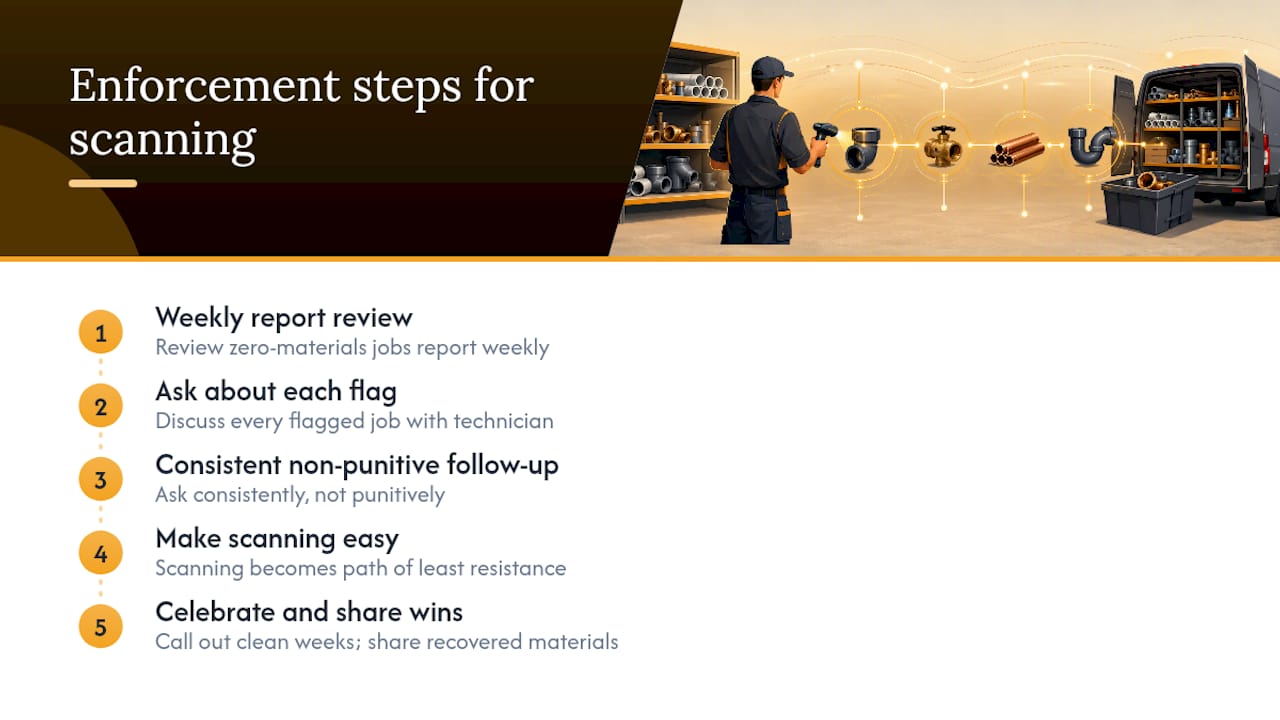
Scanning feels like extra work to a technician who has been doing the job for ten years without it. The first week of a rollout, most techs will scan. By week three, if there's no consequence for skipping it, scanning rates drop. By week six, you're back to guessing.
The fix isn't a better app. It's a manager who reviews the zero-materials jobs report every single week and asks the technician about every flag. Not in a punitive way, but consistently. When techs know the report gets reviewed, scanning becomes the path of least resistance.
Celebrate the wins loudly. When a technician's van shows a clean week with no variances, call it out in the team meeting. When the first month of scanning recovers a meaningful amount in previously unbilled materials, share that number with the team. People scan when they understand why it matters and when they see that someone is paying attention.
Tradepilot puts inventory, dispatch, and invoicing on one screen
Tradepilot gives plumbing contractors the one thing most inventory tools miss: a direct connection between what's on the van, who gets dispatched, and what gets billed. You're not stitching together three separate apps or exporting CSVs between systems. The parts your tech scans at the job show up on the invoice before they leave the driveway.

The pilot is straightforward. Load one van's top 50 parts, set par levels, and run two weeks of live scanning. By the end of week two, you'll have a clear picture of your unbilled materials gap and a baseline for measuring improvement. Most contractors see the software pay for itself within the first month of full use.
Schedule a demo or start a free trial at Tradepilot and run the two-week pilot on your first truck. The data will make the case for the rest of the fleet.
Sources
- Guide to Plumbing Inventory Software - Inbound Logistics
- Inventory list templates | Smartsheet
- Inventory template | ProjectManager
- NAHB