
A correctly configured service agreement generates the right work orders and invoices on the exact cadence you define, and books them into a technician's schedule without a dispatcher lifting a finger. If your agreements still require someone to manually create a work order every month, remember to send an invoice, or catch a scheduling conflict by luck, the setup is broken, not the concept.
Three things make agreement scheduling work: a defined cadence (frequency plus recurrence type), a linked service asset or location, and dispatch booking rules that tell the system whether to auto-book with a preferred technician or route the job through optimization. Miss any one of these and you get duplicate visits, orphaned work orders, or jobs that generate correctly but sit unassigned in a queue nobody checks.
Here's a 10-minute audit to run before you touch anything else:
- Pull one active agreement and confirm it has a start date, an end date (or renewal flag), and a stated frequency.
- Check whether that agreement is scoped to one service location or asset. If it covers three properties under one record, that's your first fix.
- Look at the last three generated work orders. Did they book automatically, or did a human have to intervene each time?
Loop in service contract management research showing that when contract terms feed directly into daily operations, businesses see fewer missed renewals and fewer billing discrepancies. That's the entire point of getting this configuration right the first time.
Key Takeaways
Service agreement scheduling works when cadence, asset links, and dispatch rules are configured together, not treated as three separate setup steps.
| Point | Details |
|---|---|
| Pick the right recurrence pattern | Use single recurrence for one technician and one task, multiple recurrences when several assets or crafts need independent tracking. |
| Link every agreement to an asset | Asset-level linking preserves service history and simplifies warranty and compliance reporting later. |
| Pilot before full rollout | Test on 5 to 10 accounts for one full billing cycle before activating a new configuration company-wide. |
| Prevent double billing early | Deactivate work order invoicing or zero out subtotals when billing happens at the agreement level. |
| Automate dispatch matching | Platforms like Tradepilot use AI dispatch to auto-book agreement-generated work orders to the best-fit technician without manual reassignment. |
Table of Contents
- How Service Agreement Scheduling Generates Work Orders and Invoices
- Single Recurrence, Multiple Incidents, or Multiple Recurrences?
- Grouping Multiple Services Into One Work Order
- Making Agreement Work Orders Play Nice With Dispatch and RSO
- Getting Invoicing and Entitlements Right
- What Belongs in the Service Agreement Itself
- Setting Up and Piloting a New Agreement Step by Step
- Where Trades Teams Actually Get This Wrong
- Automating Agreement Scheduling With Tradepilot
- Where to Read More Before You Configure Anything
- Frequently Asked Questions
- Sources
How Service Agreement Scheduling Generates Work Orders and Invoices
Every agreement platform, whether it's a dedicated field service system or a general CRM add-on, follows roughly the same mechanical sequence once you activate a recurring agreement. Understanding that sequence is what separates a manager who can troubleshoot a broken cadence from one who has to call support every time.
Take a straightforward example: a plumbing business signs a quarterly backflow-testing agreement with a commercial client. Here's what happens after activation:
- The system reads the agreement's frequency (quarterly) and its start date, then calculates the next occurrence date.
- On or before that date, it generates a work order tied to the specific service account and asset (in this case, the backflow device with its own serial number).
- The work order enters the scheduling queue, where dispatch rules determine whether it auto-books to a preferred technician or waits for manual assignment.
- Once the technician completes and closes the work order, the system either bills through the work order itself or defers to an agreement-level invoice, depending on how billing was configured.
- The cycle resets, and the system calculates the next occurrence based on the same frequency.
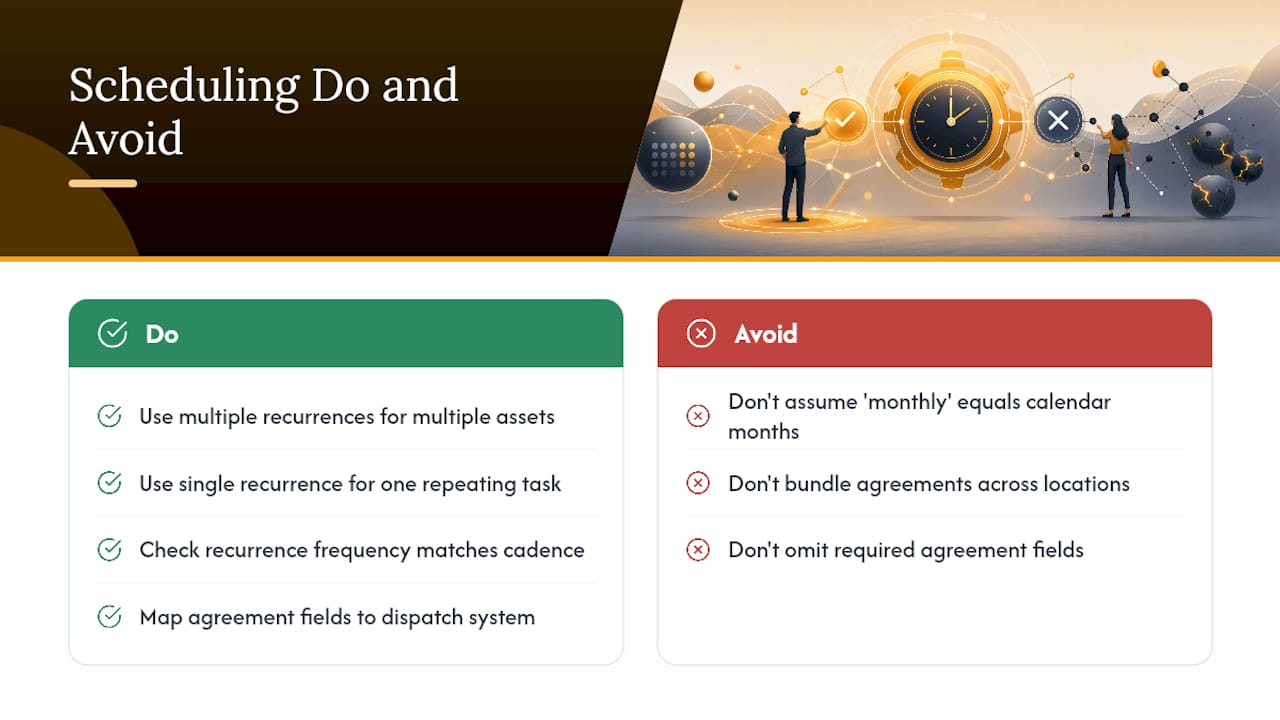
Agreement-driven work order generation in platforms like Dynamics 365 Field Service supports daily, weekly, monthly, and quarterly cadences, and it's generally best practice to scope each agreement to a single service account or location. Bundling multiple properties into one agreement record tends to create reporting headaches down the line, since you lose the ability to track service history per site.
There's a meaningful difference between agreement-generated invoices and work order invoices, and mixing them up is one of the most common configuration errors:
- Agreement-level invoices bill on a fixed schedule regardless of when the technician actually shows up. This suits flat-rate maintenance contracts.
- Work order invoices generate when the technician closes out the job, reflecting actual labor and parts used. This suits time-and-materials or variable-scope work.
Your frequency, start date, and end date settings aren't just administrative fields. They directly control the work-order generation timeline. Set the frequency wrong (say, biweekly instead of monthly) and you'll generate twice the visits your contract actually promised, which shows up fast as customer complaints and technician overtime.
Single Recurrence, Multiple Incidents, or Multiple Recurrences?
Picking the wrong recurrence pattern is probably the single most common mistake trades operations make when they first set up agreement scheduling. The three options sound similar but behave very differently in practice.
Single recurrence means one repeating schedule tied to one asset or service line. Think monthly HVAC filter changes at a single restaurant location. Simple, predictable, easy to track.
Multiple incidents covers agreements where the customer gets a bucket of service visits (say, four HVAC tune-ups per year) that they can call in as needed, rather than on a fixed calendar. You're tracking usage against an entitlement, not a strict date.
Multiple recurrences applies when one agreement needs to track several independent schedules simultaneously, like a commercial property with monthly HVAC service, quarterly electrical inspections, and annual fire suppression testing, all under one master contract but each asset on its own clock.
Here's the decision flow we'd walk through with an operations manager:
- Who performs the work? If it's always the same technician doing the same task, single recurrence is usually cleanest. If different crafts (electrical, plumbing, HVAC) are involved, you likely need multiple recurrences.
- What's the travel impact? If bundling reduces trips to a site, multiple recurrences with grouped scheduling saves fuel and labor hours. If the work is genuinely independent (different buildings, different timing needs), keep the recurrences separate rather than forcing a combination.
- Do you need asset-level tracking? If the customer has multiple pieces of equipment that each need their own service history, especially for warranty claims, multiple recurrences preserve that record. Linking agreements to individual assets improves reporting accuracy and simplifies warranty and compliance documentation.
- What does the reporting need to show? If a client (or an auditor) ever asks "when was the rooftop unit last serviced," you need that traceable at the asset level, not buried inside a combined agreement.
Pro Tip: Default to multiple recurrences whenever a customer has more than one distinct asset or service type, even if it feels like extra setup work upfront. The alternative, a single blended recurrence covering everything, makes it nearly impossible to answer asset-specific questions six months later. Reserve single recurrence for low-travel jobs where one technician handles one task at one location, with no meaningful reporting need beyond "was this done."
Grouping Multiple Services Into One Work Order
Nobody wants three separate technicians showing up at the same commercial property in the same week because three different agreement lines happened to trigger independently. Task groups and scheduling grids exist to prevent exactly that.

A task schedule assigns task groups to specific months on a grid, and that grid is what drives grouping on generated preventive maintenance work orders. When you look at the SM Agreement Task Schedule form, you'll typically see a calendar-style layout where each cell represents a month, color-coded to show whether labor allocation checks out for that period.
For services to actually combine onto a single work order, several criteria generally need to match:
- Same price method (flat rate versus time-and-materials can't combine cleanly)
- Same call type
- Same service site or location
- Same craft or class of technician
If even one of those doesn't line up, most systems will generate separate work orders even though the tasks were scheduled for the same month. That's not a bug. It's the system correctly recognizing that a flat-rate HVAC visit and a time-and-materials electrical repair need different billing treatment, even if they're happening at the same building in the same week.
Pro Tip: Before activating a new task group configuration, run a test cycle on one pilot customer and check the generated work order against your grouping expectations. If two services you intended to combine show up as separate work orders, check price method and call type first. Those are the two fields that trip up grouping most often, and they're easy to overlook because they don't look like scheduling settings on the surface.
Making Agreement Work Orders Play Nice With Dispatch and RSO
An agreement that generates a perfectly timed work order is only half the job if that work order then sits unassigned because nobody told the dispatch system what to do with it. You've got three practical options for handling this handoff.
- Generate, then include in Resource Scheduling Optimization scope. The work order gets created on schedule, and your RSO engine picks it up during its next optimization run alongside everything else. This works well for high-volume, lower-continuity work where efficiency matters more than seeing the same face every visit.
- Auto-generate and auto-book with a preferred resource. The system creates the work order and immediately assigns it to a designated technician, skipping the optimization queue entirely. Best for accounts where the customer expects to see the same tech every time, like a facilities manager who's built a relationship with one plumber.
- Create a dedicated RSO scope specifically for agreement work. This separates recurring maintenance from reactive service calls in the optimization logic, so a same-day emergency doesn't accidentally bump a scheduled preventive maintenance visit that was locked in weeks ago.
Schedule locks matter here too. A locked booking won't get reshuffled by optimization runs, which protects technician continuity but can reduce overall routing efficiency if you lock too many jobs. AI-driven dispatch that matches recurring agreement jobs to the best-fit technician tends to cut down on both travel time and the manual reassignments that eat up a dispatcher's morning.
Pro Tip: Roll out preferred-resource booking or a dedicated RSO scope on a small batch of agreements first, maybe 10 to 15 accounts, before flipping the switch company-wide. Watch what happens over two full cycles. If preferred technicians are consistently unavailable and the system silently reassigns without flagging it, you'll want to know that before it's affecting 500 accounts instead of 15.
Getting Invoicing and Entitlements Right
Double billing is the fastest way to lose a good commercial client, and it usually happens because nobody decided upfront whether the agreement or the work order owns the invoice.
There are two billing models at play. Agreement-level invoicing bills on a fixed cadence, monthly or quarterly, regardless of visit timing, which suits flat-rate maintenance contracts where the customer expects a predictable bill. Work order-derived invoicing bills when the technician closes the job, which suits variable-scope work where materials and labor change visit to visit.
The trouble starts when both are active at once. Here's how to prevent it:
- Deactivate work order invoicing entirely on agreements that bill at the agreement level.
- Alternatively, set the work order subtotal to $0 so it generates for record-keeping but doesn't trigger a separate charge.
- Use entitlements to track what a customer has already paid for under the agreement, so a work order pulling from that entitlement doesn't generate a redundant invoice line.
A service-agreement drafting checklist built for legal clarity recommends spelling out payment terms, billing schedules, deposits, and late fees directly in the contract language, precisely so your operations team has zero ambiguity about which billing model applies when they configure the system.
Pro Tip: Match your invoice cadence to how the customer's own accounts payable department works, not just to your own preference. A property management company running monthly books will get frustrated by quarterly invoices that don't fit their reconciliation cycle, even if the underlying service schedule is identical.
What Belongs in the Service Agreement Itself
The contract document and the dispatch system need to speak the same language, or your operations team ends up manually translating between the two every time something changes. A handful of fields do most of the heavy lifting.
Operational fields that directly drive scheduling include the effective date, the end date or term length, the recurrence frequency, the service site, any asset IDs tied to equipment, preferred time windows, and cancellation terms. The USPS Scheduled Pickup on Demand agreement is a useful real-world model here: it requires effective and end dates, specific pickup days and time windows, and approximate volume per visit, all spelled out clearly enough that the schedule can be executed without back-and-forth clarification.
Billing fields matter just as much for scheduling accuracy: the billing cadence, any deposit or late-fee rules, and a clear statement of whether billing happens at the agreement level or the work order level.
A short mapping list helps operations teams mirror contract language directly into the dispatch system:
- Service site in the contract → service account in the platform
- Asset serial number → customer asset record
- Cancellation notice period → agreement end-date and amendment rules
- Preferred time window → dispatch booking preference
Get this mapping wrong, and you'll find yourself re-keying contract terms every renewal cycle instead of updating one field that flows through automatically.
Setting Up and Piloting a New Agreement Step by Step
Here's the sequence we'd recommend for standing up a new agreement type, whether it's your first one or your fiftieth.
- Enter the customer's service account and confirm it maps to exactly one location or asset group.
- Set the effective date, end date, and recurrence frequency (start with monthly for a first pilot, since it's easiest to observe).
- Assign the task group and confirm the grouping fields (price method, call type, craft) match your intended bundling.
- Configure the dispatch booking rule, either preferred-resource auto-booking or RSO inclusion.
- Set the billing model and confirm work order invoicing is deactivated if you're using agreement-level billing.
- Activate the agreement and let it generate its first work order.
- Check that work order against every setting above before the technician is dispatched.
For the pilot itself, keep the scope tight: five to ten customer accounts, one full billing cycle, and clear success criteria before deciding on a wider rollout. Success looks like work orders generating on the correct date, booking to the right technician without manual intervention, and invoices matching the agreed billing model with no duplicates.
Pro Tip: Log the first three generated work orders from any new agreement configuration and check them against your intended setup before you walk away. Configuration errors almost always show up in that first handful of cycles, whether that's a wrong frequency, a missing asset link, or a grouping rule that didn't fire. Catching it at work order three is a five-minute fix. Catching it at work order thirty means unwinding three months of bad billing history.
Where Trades Teams Actually Get This Wrong
The mistake I see most often isn't a technical misconfiguration. It's teams treating agreement scheduling as a one-time setup task instead of an ongoing operational discipline that needs periodic checking.
Misconfigured recurrence is the classic failure mode: someone sets a monthly frequency intending "roughly once a month" and the system generates work orders every 30 days on the dot, which drifts across different-length months and eventually produces two visits in the same calendar month. Customers notice that faster than operations teams do, usually in the form of a confused phone call asking why a technician showed up twice.
Failing to link assets is the second most common issue. It's tempting to skip asset-level linking when you're rushing to get a contract active, but that shortcut costs you the moment a customer asks about warranty history or a regulator asks for maintenance records on a specific piece of equipment. There's no clean way to retroactively split a blended service history back into asset-specific records.
The third one is subtler: teams get the scheduling and dispatch integration right, then forget to check that entitlements and billing actually reconcile after the first cycle. Everything looks fine operationally, technicians show up, jobs get closed, but nobody's checking whether the invoices match what the contract promised until a customer flags a billing discrepancy three months in.
My honest recommendation: build a 30 to 60 day post-rollout audit into your process for any new agreement type. Look specifically at travel time (did grouping actually reduce trips, or did it just look good on paper?), technician workload distribution, and invoice accuracy against the contract terms. That short audit window catches almost everything that a rushed initial setup misses.
Automating Agreement Scheduling With Tradepilot
Tradepilot removes the manual middle step between a signed agreement and a technician showing up at the right address with the right parts. Its AI dispatch engine matches every agreement-generated work order to the best-fit technician by skill, availability, and location in under a second, so recurring jobs stop competing with emergency calls for a dispatcher's attention.

For HVAC, electrical, and plumbing businesses running dozens or hundreds of active agreements, that matching speed compounds fast. Tradepilot's drag-and-drop scheduling makes it simple to adjust an agreement-generated booking without breaking the underlying recurrence, and invoicing ties directly to agreement terms so you're not manually deciding, job by job, whether to bill at the agreement level or the work order level. Asset tracking keeps service history tied to specific equipment, which matters the moment a warranty question comes up.
If you've worked through the pilot checklist above and you're ready to run it on a real platform instead of a spreadsheet, start a Tradepilot trial and test it against the same five to ten pilot accounts you'd use for any new agreement rollout.
Where to Read More Before You Configure Anything
A short reading list, in the order we'd actually open these during a pilot:
- Agreements overview for Dynamics 365 Field Service walks through how recurrence, work orders, and invoice generation connect in a platform environment. Open this first if you're mapping out cadence logic.
- Set up agreements work orders goes deeper on asset linking, which is worth reading before you finalize how granular your service accounts should be.
- Scheduled Pickup on Demand Service Agreement (PS Form 5542) is a real-world example of a scheduled-service contract with explicit cadence and cancellation language, useful when drafting your own agreement fields.
- How to Write a Service Agreement: Drafting Tips covers the legal-drafting side, payment terms, deposits, and termination clauses that your ops team needs mirrored in the dispatch system.
- Best Field Service Apps for Trades Businesses in 2026 is a practical next stop for comparing how different platforms handle the mechanics covered here.
Frequently Asked Questions
What's the difference between agreement invoicing and work order invoicing? Agreement invoicing bills on a fixed schedule regardless of visit timing, which suits flat-rate maintenance contracts. Work order invoicing bills when a technician closes the job, reflecting actual labor and parts, which suits variable-scope or time-and-materials work.
How do I stop duplicate work orders from generating on the same agreement? Check your recurrence frequency setting against your intended cadence, since a monthly setting interpreted as "every 30 days" will drift and occasionally double up within a calendar month. Also confirm the agreement is scoped to one service account rather than bundled across multiple locations.
Should I use single recurrence or multiple recurrences for a commercial account with several equipment types? Use multiple recurrences whenever a customer has more than one distinct asset or service type needing its own schedule and history. Single recurrence works best for one technician performing one repeating task at one location.
Can agreement-generated work orders be booked automatically to a specific technician? Yes. Auto-generate-and-book with a preferred resource setting skips the optimization queue and assigns the job directly, which works well for accounts where continuity matters more than routing efficiency.
What fields should every service agreement include for reliable scheduling? At minimum: effective date, end date or term, recurrence frequency, service site, linked asset IDs, preferred time windows, cancellation terms, and billing cadence. These fields need to map directly to fields in your dispatch system.
This article provides general operational guidance and is not a substitute for legal advice on contract drafting. Confirm specific contract language and compliance requirements with a qualified attorney familiar with your state's service-agreement rules.
Sources
- How To Write A Service Agreement: Drafting Tips (2026) — ConsumerShield
- Scheduled Pickup on Demand Service Agreement (PS Form 5542)