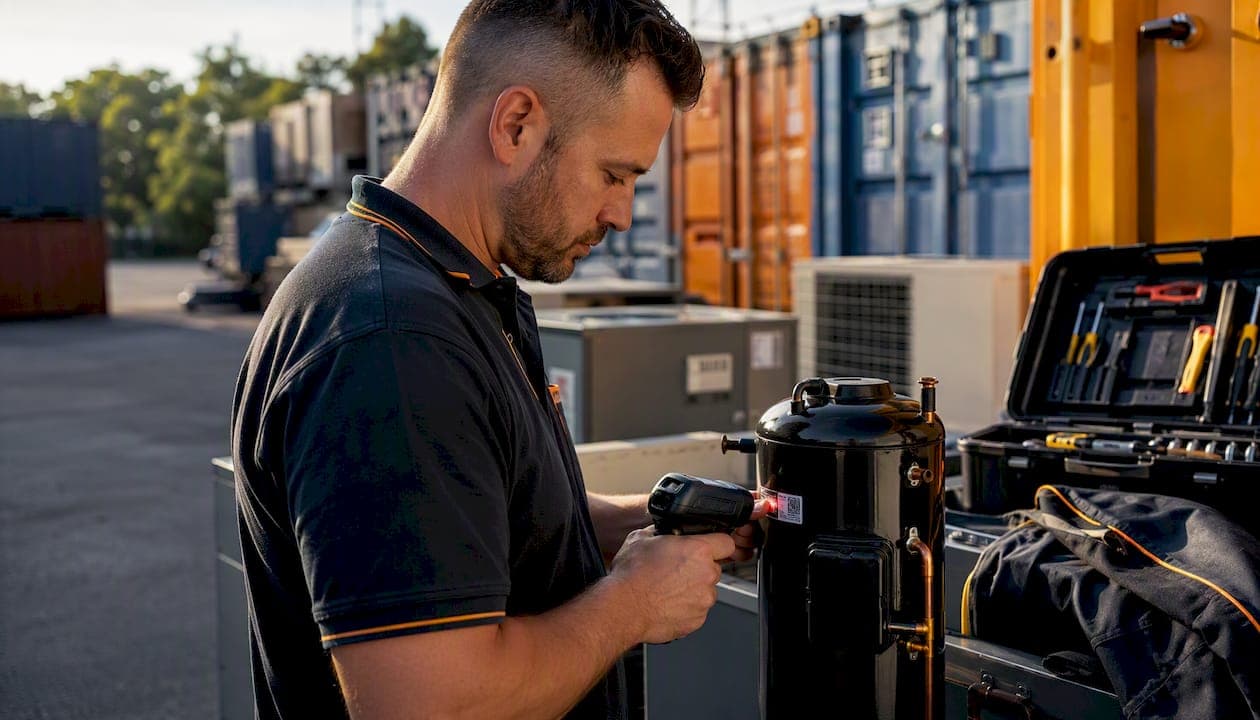
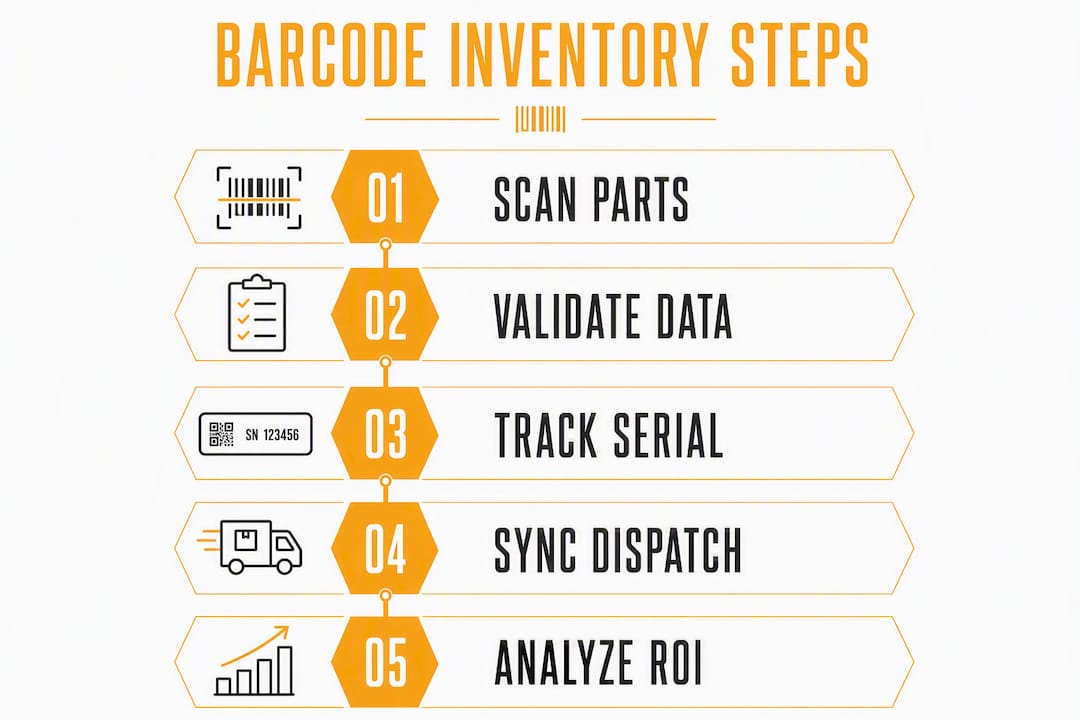
The fastest way to stop guessing stock is to deploy barcode inventory scanning that writes both serialized and SKU-level events directly into your dispatch system. Scan at receive, scan at pick, scan at install. Every movement gets a timestamp, a user, and a job ID — no manual entry, no reconciliation headaches at month-end.
Here is what that looks like in practice:
- Barcode scanning replaces manual entry and lets you reconcile cycle counts in minutes rather than hours.
- GS1 barcoding standards and serialized tracking are the two implementation anchors that separate a real audit trail from a spreadsheet with a scanner bolted on.
- Tradepilot connects scanning events to job dispatch in real time, so a scanned part automatically posts cost to the job and triggers reorder alerts.
Pro Tip: Run a small receiving or van-stock pilot with Tradepilot integration first. A few weeks is usually enough to validate the workflow before you commit to full fleet rollout.
Table of Contents
- Why barcode scanning matters for HVAC, electrical, and plumbing firms
- What features should you require from a barcode and inventory system?
- Serialized tracking vs. SKU-level tracking: which one fits your parts?
- Devices, barcode types, and labeling for mobile field teams
- Step-by-step implementation plan with a realistic timeline
- How to build technician scanning SOPs that actually stick
- How to measure ROI and what to budget for
- Common pitfalls and how to avoid them
- How Tradepilot integrates barcode scanning with AI dispatch
- Key Takeaways
- The part most managers underestimate
- Tradepilot makes the pilot straightforward
- Useful sources and further reading
Why barcode scanning matters for HVAC, electrical, and plumbing firms
Field service businesses lose money in three specific ways: technicians return to the depot for parts they thought were on the van, invoices miss parts that were installed but never logged, and warranty claims fail because nobody can prove which unit was installed where. Barcode inventory scanning closes all three gaps.
When a technician scans a part on pick and again on install, the system records who moved it, when, and against which job. That timestamped, user-linked scan event is your audit trail for warranty and service records — no reconstruction required. Serialized tracking automates returns processing and warranty verification tasks that would otherwise eat an hour of admin per claim.
Cycle counts that once took a full Saturday morning now finish much faster once scanning captures every movement as it happens. Teams that make the switch rarely go back to annual physical counts.
Rolling cycle counts become practical once scanning is in place, because the system flags drift early rather than surfacing a surprise at year-end. For a plumbing firm running multiple vans, that shift alone recovers meaningful labor hours every quarter.
What features should you require from a barcode and inventory system?
Not every inventory platform is built for field service. A warehouse-first tool will miss the features that matter most when your stock is split across a depot, six vans, and a dozen active job sites.
Must-have capabilities:
- Serialized tracking enforced at every transaction step, not just at receiving
- Real-time sync with your dispatch system so job-cost posting is automatic
- Mobile scanning via phone camera and Bluetooth sled, so technicians are not locked to a single device type
- Offline-first behavior that queues transactions locally and syncs when connectivity returns
- Location and bin support for depot shelving and van compartments
- Per-scan user audit trail with timestamps
Integration requirements:
- API or webhook connector to your dispatch or ERP system
- Consumption events that feed job-costing and invoicing automatically
- Role-based permissions so technicians can scan but cannot edit historical records
Pro Tip: Require on-device validation and duplicate serial rejection before you sign any contract. A system that lets a technician scan the same serial twice without an error is not enforcing serialized tracking — it is just logging keystrokes.
Serialized tracking vs. SKU-level tracking: which one fits your parts?
You do not need to serialize everything. The decision comes down to traceability requirements, part value, and whether warranty or recall exposure is real.
Serialized inventory assigns a unique ID to each physical unit so you can trace its full lifecycle. SKU-level tracking counts quantities by part number without distinguishing one unit from another.
| Item type | Example | Recommended approach |
|---|---|---|
| High-value equipment | Compressors, heat exchangers, VFDs | Serialized — warranty and recall traceability required |
| Warranty-registered parts | Thermostats, control boards, smart meters | Serialized — manufacturer serial needed for registration |
| Mid-value consumables | Capacitors, contactors, breakers | SKU-level with lot tracking if batch recalls are possible |
| Bulk consumables | Fittings, wire, tape, flux | SKU-level quantity only |
Start serializing your highest-value SKUs first. That is where a missed warranty claim or a misattributed part costs the most. Bulk consumables tracked at SKU level are fine — the overhead of serializing every elbow fitting is not worth it.
Devices, barcode types, and labeling for mobile field teams
Phone cameras handle most receiving and van-stock tasks without any additional hardware. For a technician scanning several parts per job, the camera on a standard Android or iPhone is sufficient. High-volume depot receiving is a different story: a rugged scanner or a Bluetooth sled paired to a phone reduces operator fatigue and keeps scan speed consistent across a full shift.
Barcode symbology choices:
- Code 128 (1D): Works for part numbers and serial numbers on larger labels. Fast to scan, universally supported, and sufficient for most field parts.
- Data Matrix or GS1 DataMatrix (2D): Better when label real estate is tight or when you need to encode lot number, expiry date, and serial in a single scan using GS1 application identifiers.
- QR codes: Readable by any phone camera without a dedicated app, useful for bin labels and equipment plates.
Labeling checklist:
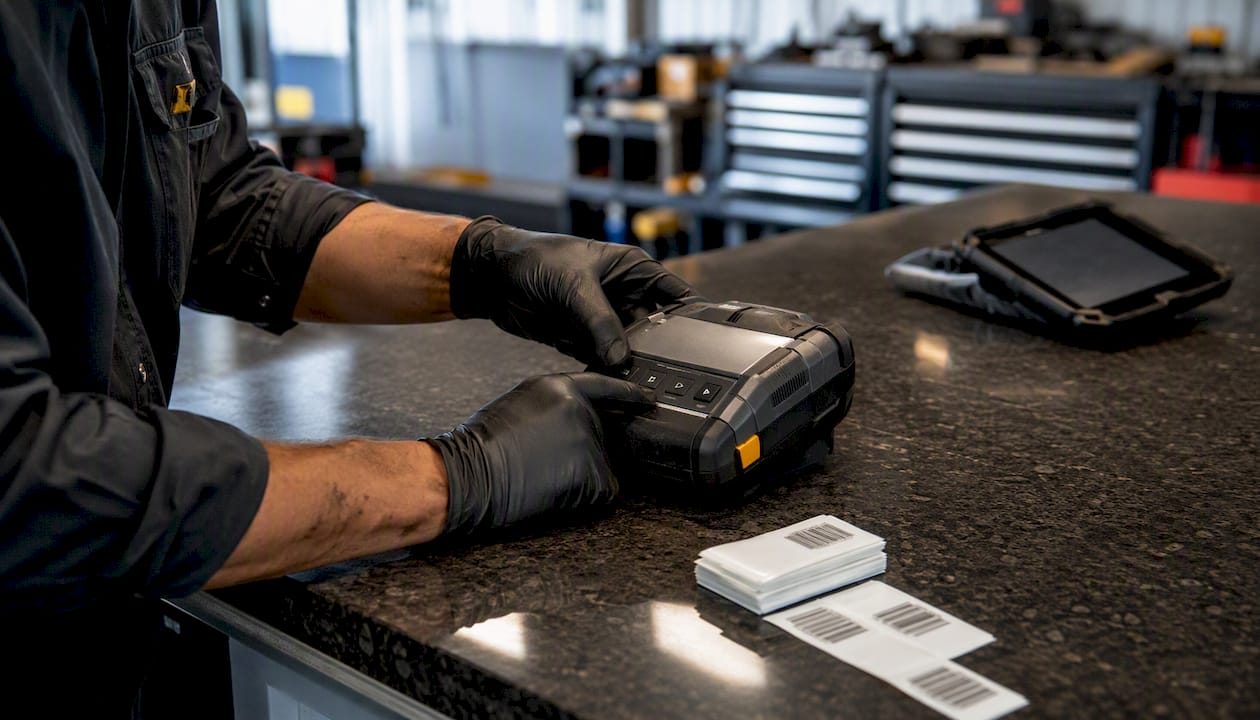
- Print item labels and bin labels separately — one label per purpose
- Encode the serial number in both machine-readable and human-readable format on the same label
- Use polyester or laminated media for labels that will see jobsite exposure, grease, or moisture
- Relabel any supplier parts that arrive with inconsistent or missing barcodes before they enter stock
Pro Tip: Keep a small label printer at the depot receiving desk. Relabeling at receive costs 10 seconds per part. Hunting for an unlabeled part on a van mid-job costs 20 minutes.
Step-by-step implementation plan with a realistic timeline
| Phase | Key activities | Success gate |
|---|---|---|
| Discovery & data cleanse | Audit SKU list, assign serial policy, order labels and hardware | Clean item master, labeling standard documented |
| Pilot (receiving or van-stock) | Label critical SKUs, train technicians, run live scans | High scan coverage on pilot items |
| Iterate & expand | Fix workflow gaps, roll out to all vans, full dispatch integration | Reconciliation time significantly improved |
| Scale & automate | Cycle-count cadence, reorder automation, performance dashboards | Parts-cost capture rate very high |
Offline-first capability is non-negotiable for the pilot phase. Mobile apps that queue transactions locally and sync when connectivity returns prevent the gaps in scan history that undermine the whole audit trail. A technician in a basement mechanical room cannot wait for a signal.
The pilot is where you find the labeling gaps, the workflow exceptions, and the one technician who will become your internal champion. Do not skip it to save three weeks — it saves three months of cleanup later.
Pilot success metrics to track: scan coverage percentage, reconciliation time reduction, first-time-fix improvement, and parts-cost capture accuracy.
How to build technician scanning SOPs that actually stick
Technicians adopt scanning when it is faster than the alternative, not because a manager told them to. Build the SOP around that reality.
- Scan on pick — technician scans the part when pulling it from the van or depot shelf. The system attaches it to the open job ID automatically.
- Scan van location — scan the van compartment label so the system knows where the part came from.
- Scan on install or return — scan again when the part is installed or returned to stock. This posts the cost to the job and updates reorder triggers.
- Review the daily dashboard — dispatch managers check for missing scans each morning. Any job closed without a part scan gets flagged before the invoice goes out.
Guided scanning with on-device prompts and validation is what makes step 3 reliable at scale. Guided workflows reject invalid or duplicate serial entries at the scanner, saving seconds per line and preventing the manual-entry workarounds that kill data quality.
Pro Tip: Give every technician a laminated one-page SOP for the first 30 days. Four steps, with a screenshot of each screen. After 30 days, they will not need it.
How to measure ROI and what to budget for
| Cost driver | Typical range | Notes |
|---|---|---|
| Software seats | Varies by platform | Per-user monthly subscription |
| Mobile devices | — | Add $150 per rugged scanner if needed |
| Label printer + consumables | $200 upfront | Ongoing label stock cost is low |
| Integration / implementation | 10 hours | Depends on ERP complexity |
| Training | 2–4 hours per technician | Mostly on-the-job during pilot |
ROI formula: (Recovered parts revenue + reduced truck-roll cost + labor saved on reconciliation) ÷ total project cost = payback period in months.
A 10-van electrical firm that captures $150 in missed parts per job across 8 jobs per day recovers $1,200 daily in previously unlogged revenue. At that rate, most implementations pay back within the first billing cycle after go-live.
KPIs to track: parts-cost capture rate, inventory shrinkage percentage, time-to-invoice, and first-time-fix rate. A mobile-first inventory approach that lets technicians update stock from the van cuts the depot return trips that inflate truck-roll costs.
Common pitfalls and how to avoid them
The failures are predictable. Most of them happen in the first 60 days.
- Treating serials as an afterthought: If your system does not demand a serial at every transaction step, gaps accumulate fast. Serial-aware processes must capture serials at every step to be effective — a serial captured only at receiving but not at install is useless for a warranty claim.
- Allowing manual entry as a fallback: One technician typing a serial instead of scanning it breaks the audit trail for that unit. Disable manual entry for serial fields.
- Weak labeling standards: Inconsistent label formats mean some scans fail. Standardize before the pilot, not after.
- Ignoring offline sync gaps: A system that loses transactions when connectivity drops is worse than a spreadsheet. Verify offline behavior in a dead-zone test before rollout.
- Skipping the pilot: Big-bang rollouts to 20 vans simultaneously surface every edge case at once. A narrow pilot with 2–3 technicians finds the same issues with a fraction of the disruption.
30-day early warning checks: scan coverage below 80%, more than 5% of jobs closed without a part scan, and any manual serial entries appearing in the log.
Pro Tip: Pull a weekly report of jobs closed without a scan for the first month. That list tells you exactly where the workflow is breaking down — and which technician needs a follow-up conversation.
How Tradepilot integrates barcode scanning with AI dispatch
Tradepilot is built for exactly this audience. The platform connects barcode inventory scanning to AI-powered dispatch so that a scanned part does not just update stock — it posts cost to the job, triggers a reorder if the van hits minimum quantity, and feeds the invoice automatically.
Feature alignment for HVAC, electrical, and plumbing teams:
- Real-time sync between scan events and the dispatch board
- Serial number and SKU-level support across all transaction types
- Mobile scanning via phone camera and Bluetooth scanner
- Offline-first architecture with automatic sync on reconnect
- Job-cost posting and invoice automation triggered by scan events
A 4–6 week Tradepilot pilot typically covers van-stock labeling, receiving workflow setup, and dispatch integration. Owners report seeing parts-cost capture improve and missed-billing exceptions drop within the first two weeks of live scanning.
For teams evaluating unified dispatch and inventory platforms, Tradepilot's AI matching adds a layer most standalone inventory tools cannot: the system knows which technician has the right part on their van before the job is assigned.
Key Takeaways
Barcode inventory scanning pays back fastest when serialized tracking, real-time dispatch sync, and offline-first mobile capability are built into the same platform from day one.
| Point | Details |
|---|---|
| Start with a pilot | Run a 4–6 week van-stock or receiving pilot before full fleet rollout to surface labeling and workflow gaps early. |
| Serialize high-value parts first | Apply serial number tracking to compressors, control boards, and warranty parts; use SKU-level counts for bulk consumables. |
| Require offline-first capability | Verify that the system queues transactions locally and syncs on reconnect — dead zones are a field service reality. |
| Track four KPIs | Measure parts-cost capture rate, inventory shrinkage, time-to-invoice, and first-time-fix rate to quantify ROI. |
| Tradepilot as the integrated solution | Tradepilot connects scan events to AI dispatch, job costing, and invoicing in one platform built for HVAC, electrical, and plumbing teams. |
The part most managers underestimate
The technology is the easy part. A label printer, a phone camera, and a decent API connector will get you 80% of the way there in a weekend. What actually determines whether scanning sticks is whether the workflow is faster than whatever the technician was doing before.
That is the insight most rollout guides skip. They focus on device specs and barcode symbologies while the real adoption risk is a technician who has been doing the same van-stock routine for eight years and sees no personal upside in changing it. The fix is not a training session. It is designing the SOP so that scanning takes fewer steps than the old way, then showing that technician their own scan data in a dashboard that makes them look good.
The other underestimated factor is label debt. Every unlabeled part already in your vans is a gap in the audit trail from day one. Scheduling a one-time relabeling session before go-live is unglamorous, but it is the single task that most determines whether the first month of data is trustworthy. Skip it and you will spend the next quarter explaining anomalies.
Small pilots, fast feedback, and a labeling standard enforced at receiving. That combination beats any big-bang rollout every time.
Tradepilot makes the pilot straightforward
Missed parts on invoices and warranty claims that fall apart because nobody logged the serial number are expensive, fixable problems. Tradepilot gives HVAC, electrical, and plumbing teams a single platform where a scanned part at the van automatically posts to the job, feeds the invoice, and updates dispatch — no separate inventory app, no manual sync.

A guided pilot takes 4–6 weeks and covers van-stock labeling, receiving setup, and full dispatch integration. You will see parts-cost capture improve before the pilot closes. Request a guided pilot at tradepilotnet.com and get your first van running on live scanning within the week.
Useful sources and further reading
The following sources back the technical claims and implementation guidance in this article:
- Barcode Inventory Software — Scan, Track, Count, Reorder | StockZip — supports the cycle-count speed claims and mobile-first scanning approach
- Mobile Inventory App | StockZip — van-stock and mobile scanning UX evidence
- Serialized Inventory — Shopify — serialized inventory definitions and use-case guidance
- Admin Inventory | Yakho Telecoms — mobile scanning behavior and device compatibility in field contexts
- TradePilot — integrated dispatch, inventory, invoicing, and analytics platform for HVAC, electrical, and plumbing businesses