
Inventory cycle counting is a continual, scheduled audit of small inventory subsets that keeps your on-hand records accurate without stopping operations. Instead of shutting down the warehouse once a year for a full physical count, you count a rotating portion of SKUs every day or week, catch errors early, and fix root causes before they compound.
Three reasons operations managers adopt it fast:
- Accuracy without downtime: counts happen during normal business hours, so you never lose a shift to a wall-to-wall physical count
- Earlier error detection: small discrepancies surface weekly instead of at year-end, when the damage is already done
- Root-cause visibility: recurring variances on the same SKU point directly to a process failure, not just a number mismatch
The recommended first step is simple: pick a counting method (ABC/Pareto is the right default for most operations) and draft a one-page policy that defines who counts, how often, and who approves adjustments. Everything else builds from there.
Structured cycle-counting programs combined with technology support can significantly improve inventory accuracy and reduce shrink, according to Shopify's operational research. That accuracy gap is the business case in one sentence.
Table of Contents
- What is inventory cycle counting and where does it fit in your strategy?
- How does cycle counting differ from a full physical inventory?
- How to run a cycle count: step-by-step SOP
- How often should you count, and what does it cost?
- What tools and technology do you need for cycle counting?
- Common cycle counting mistakes and how to fix them
- Sample cycle count policy and implementation checklist
- Key Takeaways
- The part most cycle count programs get wrong
- How Tradepilot keeps field-service inventory accurate between counts
- Useful sources and further reading
What is inventory cycle counting and where does it fit in your strategy?
Cycle counting is a perpetual inventory auditing procedure: you count a defined subset of locations or SKUs on a recurring schedule, compare the physical count to system records, investigate variances, and reconcile. The process never fully stops. It runs alongside normal operations, which is exactly what separates it from a full physical inventory.
According to Wikipedia's cycle count entry, cycle counting is a recognized alternative to full physical inventory that preserves perpetual inventory accuracy through ongoing, targeted audits. The perpetual inventory system is the foundation. Cycle counting is the maintenance layer that keeps it honest.
Who should use it:
- Distribution centers managing hundreds or thousands of active SKUs
- Multi-store retailers with shared or transferred stock
- Field-service businesses (HVAC, electrical, plumbing) tracking spare parts and consumables across vans and storerooms
The perpetual counting cycle in plain terms:
Generate a count list → assign counters to locations → count and record physical quantities → compare to system quantities → investigate variances above tolerance → reconcile approved adjustments → identify root cause → repeat on schedule.
Three prerequisites make this work in practice. First, location controls need to be reliable: every item must have a designated bin or location in the system. Second, transactions (receipts, picks, transfers, returns) need to post in near-real time, not batch-uploaded at end of day. Third, you need at least basic barcode or RF scanning capability so counters can record results quickly and accurately. Without these three, cycle counting produces data you cannot trust.

How does cycle counting differ from a full physical inventory?
The core difference is operational impact. A full physical inventory freezes operations, mobilizes every available person, and produces a single snapshot of accuracy. Cycle counting runs continuously, uses a small dedicated team, and produces a rolling picture of accuracy over time.
Full physical inventory: pros and cons
- Pros: complete coverage in one event; satisfies most external audit requirements; useful when starting a new ERP or after a major reorganization
- Cons: operations stop for hours or days; counting fatigue leads to errors; problems found at year-end are months old and expensive to trace
Cycle counting: pros and cons
- Pros: no operational shutdown; errors caught within days of occurring; root causes are traceable; accuracy improves continuously
- Cons: requires disciplined transaction posting; takes weeks to achieve full coverage; needs trained, dedicated counters rather than all-hands participation
Decision checklist — choose cycle counting when:
- You need continuous inventory accuracy for customer service or dispatch
- Operational downtime is costly or operationally impossible
- You want to identify and fix root causes, not just correct numbers
- Your system has reliable location controls and near-real-time transaction posting
Choose a full physical count when:
- You are implementing a new ERP or WMS and need a clean baseline
- External auditors or lenders require a complete physical verification
- A major warehouse reorganization has disrupted location integrity
Hybrid approach makes sense after:
- An ERP cutover (full count to establish baseline, then cycle counting to maintain it)
- Year-end audit requirements (cycle count data supplements or reduces the scope of the physical)
- A major reorganization that moved large blocks of inventory to new locations
How to run a cycle count: step-by-step SOP
This SOP is designed to be copied, edited with your tolerances and role names, and handed to your team.
- Finalize outstanding transactions. Before generating a count list, confirm that all pending receipts, picks, transfers, and returns for the locations being counted have posted to the system. Adjustments made before outstanding transactions are posted can compound errors rather than correct them.
- Generate the count list. Pull the count list from your WMS or ERP for the scheduled locations or SKUs. The list should show location, SKU, and unit of measure, but NOT the system quantity. Blind counts are more accurate.
- Isolate the locations. If possible, place a temporary hold on picks from the locations being counted during the count window. For high-velocity bins, coordinate with the pick team on timing.
- Count and record. Counters physically count each item and record the quantity on the count sheet or mobile device. Count twice if the first count differs from a prior recount.
- Compare to system quantities. The WMS or ERP compares physical count to on-hand quantity and flags variances. Set a tolerance threshold (e.g., ±2% by value or ±1 unit for A items) to filter noise from material discrepancies.
- Investigate variances. For any variance above tolerance, the counter or supervisor investigates before posting an adjustment. Check for: items in alternate bins, pending transactions, mislabeled locations, or counting errors.
- Reconcile and post adjustments. Approved adjustments are posted with a reason code. Common reason codes: receiving error, pick error, transfer not posted, damaged/missing, counting error.
- Approve adjustments. Adjustments above a defined dollar threshold require supervisor or manager sign-off. All adjustments are logged with reason code, counter ID, approver, and timestamp.
- Root-cause analysis. Any SKU with a variance in two or more consecutive counts triggers a root-cause investigation. Document findings and corrective action.
- Close and archive. Mark the count session closed in the system. Archive count sheets (paper or digital) per your audit retention policy.
Roles and responsibilities:
- Counter: physically counts, records quantities, flags anomalies
- Supervisor: reviews variances, approves minor adjustments, escalates large variances
- Inventory manager: approves adjustments above dollar threshold, reviews root-cause reports, updates count schedule
- Finance/operations lead: reviews monthly accuracy reports, signs off on material adjustments affecting financial records
Adjustment workflow elements:
- Reason code required on every adjustment (no "unknown" as a default)
- Audit trail: counter ID, timestamp, before/after quantity, reason code, approver
- Adjustments above a defined threshold (set this in your policy) require dual approval
A practical setup approach using temporary bin labels, recorded open transactions, and timed comparisons reduces floating paperwork errors and reconciliation friction significantly.
Pro Tip: Run your count during a low-transaction window (early morning before the pick floor opens, or the last 30 minutes of a shift) to minimize the number of in-flight transactions that could create a false variance.
How often should you count, and what does it cost?
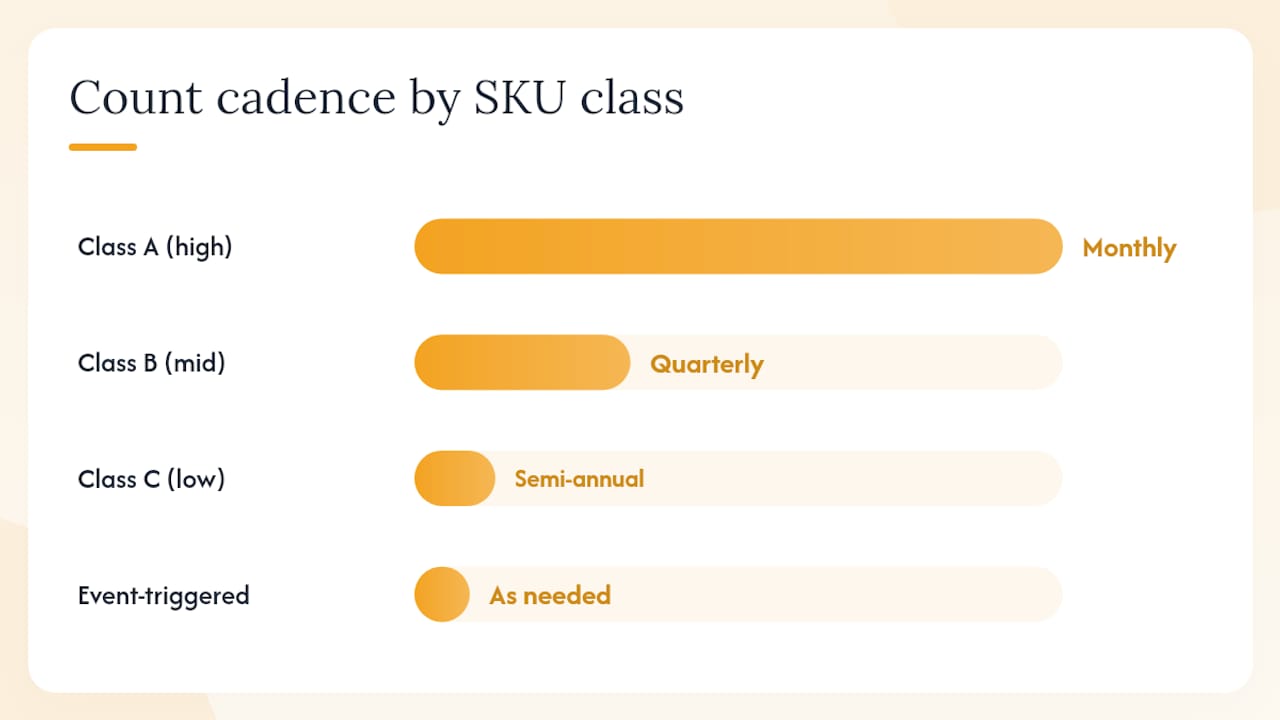
Frequency depends on SKU class, error history, and available labor. The table below gives a practical starting matrix.
| SKU class | Suggested cadence |
|---|---|
| A (high value or velocity) | Counted most frequently, such as monthly or more often |
| B (mid value or velocity) | Counted regularly, such as quarterly |
| C (low value or velocity) | Counted less frequently, such as semi-annually or annually |
| Event-triggered | Any |
Estimating daily workload:
A trained counter with a handheld barcode scanner can typically process 100–200 bin locations per hour depending on bin density and item complexity. A counter working a two-hour daily count window can cover 200–400 locations per day. For a warehouse with 2,000 active bin locations and a target of monthly full coverage, two counters working two hours daily will complete the cycle comfortably.
Without scanning, manual paper-based counting drops to roughly 40–80 locations per hour. The productivity gap between paper and scan-based counting is the single strongest ROI argument for investing in handheld hardware.
Cost considerations:
- Manual labor: 2 hours/day × 2 counters × 250 working days = 1,000 labor-hours per year; at a fully-loaded $25/hour, that is $25,000 annually
- Barcode scanner hardware: entry-level handheld units run $200–$500 each; enterprise RF terminals run $800–$1,500
- WMS cycle-count module: typically included in mid-tier WMS subscriptions; standalone cycle-count software ranges from free (spreadsheet-based) to $200+/month for cloud platforms
- ROI offset: reduced stockouts, fewer emergency orders, faster financial close, and lower shrink typically exceed labor costs within the first year for operations with more than 500 active SKUs
What tools and technology do you need for cycle counting?
The right tech stack reduces counting time, eliminates paper, and connects count results directly to your inventory records.
Software feature checklist — what to look for in a cycle-count module:
- Automated count list generation by class, zone, or schedule
- Blind count support (hides system quantity from counters)
- Reason code configuration and enforcement
- Full audit trail with counter ID, timestamp, and approver
- Multi-bin and multi-location support
- Direct integration with ERP or WMS for real-time adjustment posting
- Mobile data capture (iOS/Android or dedicated RF terminal)
- Variance reporting and root-cause tracking dashboards
Hardware options:
- Handheld barcode scanners (Zebra, Honeywell): fast, durable, low cost per unit; best for operations with labeled bins and standard barcodes; typical scan rate of 200+ scans per minute
- RF terminals (Zebra MC series, Datalogic): ruggedized for warehouse environments; support real-time WMS connectivity; higher upfront cost but longer lifespan
- RFID readers: fastest for bulk counting (read multiple tags simultaneously without line-of-sight); high setup cost; best ROI in high-SKU, high-velocity environments where speed matters more than per-unit cost
Implementation tip: Validate the transactional timing between your WMS and your counting window. ERP and WMS systems like Microsoft Dynamics 365 document inventory-tag counting and cycle-count features specifically to preserve multi-bin accuracy. If your system batches transaction posts at midnight, scheduling counts in the afternoon creates a window where in-flight transactions produce false variances. Align your count window with your transaction posting schedule.
For HVAC, electrical, and plumbing field-service businesses managing spare parts across vans and storerooms, Tradepilot's inventory tracking integrates directly with dispatch, so parts consumed on a job update inventory records without a separate manual entry. That real-time link between dispatch and inventory is what makes cycle counting practical for field-service spare parts, where the "warehouse" is often a technician's van.

For a broader look at how field service apps handle inventory workflows, the options vary significantly in how tightly they connect parts tracking to job completion.
Common cycle counting mistakes and how to fix them
These are the errors that turn a well-designed program into a source of compounding inaccuracy.
-
Counting before pending transactions are posted. If a receipt is sitting in a receiving queue and you count the bin before it posts, you will record a variance and adjust the record down. When the receipt posts, the system shows a surplus. Adjusting records before outstanding transactions are finalized compounds errors rather than correcting them. Fix: require transaction finalization as step one of every count session. Build a pre-count checklist that confirms all pending transactions for the count zone are posted.
-
Floating paperwork. A transfer order is printed but not executed. The counter finds the item in the source bin (where it still physically sits) and records it as correct. The destination bin shows a shortage. Fix: use temporary bin labels or cards to flag locations with open transactions; do not count flagged bins until transactions are resolved.
-
Multi-bin confusion. An item is stored in bins A-12 and A-14. The counter checks A-12, finds it empty (stock was moved to A-14 but the transfer wasn't recorded), and writes off the quantity. Fix: train counters to search alternate locations before recording a zero count; configure your WMS to display all active bin locations for a SKU on the count sheet.
-
Rushed counts. A counter scans a bin, records the first number they see, and moves on. Errors accumulate. Fix: require a recount for any location where the first count differs from the expected range by more than your tolerance; spot-audit 5–10% of completed counts each week.
-
No reason codes. Adjustments post without explanation. Root-cause analysis is impossible. Fix: make reason codes mandatory at the system level; configure your WMS to block adjustment posting without a valid reason code.
-
Ignoring repeat variances. The same SKU shows a variance in three consecutive counts. The team adjusts the record each time and moves on. Fix: flag any SKU with two consecutive variances for a root-cause investigation before the next count. Track repeat-variance SKUs as a standing agenda item in weekly ops reviews.
-
No location discipline. Items are stored wherever there is space, not in their designated bins. Counters cannot find what the system says should be there. Fix: enforce put-away rules; conduct a location audit before launching a cycle-count program.
Monitoring to ensure fixes stick: review the adjustment reason mix monthly. If "counting error" or "unknown" reason codes account for more than 20% of adjustments, the counting process itself needs retraining. If a specific reason code (e.g., "receiving error") consistently dominates, escalate to the process owner for that function.
Sample cycle count policy and implementation checklist
This template is designed to be edited and published as your internal policy document.
Policy template:
- Purpose: To maintain perpetual inventory accuracy through scheduled, recurring physical counts of inventory subsets without operational shutdown.
- Scope: All active SKUs and bin locations in [facility name]. Applies to all inventory staff, supervisors, and managers involved in counting, reconciliation, or adjustment approval.
- Definitions: Cycle count (scheduled count of a subset of locations); variance (difference between physical count and system quantity); tolerance (maximum acceptable variance before investigation is required, expressed as ±[X]% by value or ±[X] units).
- SKU classes and frequencies: A items counted [monthly/weekly]; B items counted [quarterly]; C items counted [semi-annually]; event-triggered counts conducted after any receipt, return, or transfer above [threshold].
- Roles and responsibilities: Counters assigned by supervisor; supervisor reviews and approves variances below $[threshold]; inventory manager approves variances above $[threshold]; finance reviews monthly accuracy reports.
- Adjustment rules: All adjustments require a reason code. Adjustments above $[threshold] require dual approval. No adjustment may be posted before all pending transactions for the affected location are finalized.
- Documentation and audit trail: Count sheets (paper or digital) retained for [12 months]. All adjustments logged with counter ID, timestamp, before/after quantity, reason code, and approver name.
Implementation checklist:
- Audit current location integrity: confirm every active SKU has a designated bin and that put-away rules are enforced.
- Configure your WMS or ERP cycle-count module: set up reason codes, tolerance thresholds, and approval workflows.
- Train counters: cover blind counting, reason codes, multi-bin search procedure, and the pre-count transaction checklist.
- Run a pilot: select one zone or one SKU class (recommend starting with A items in a single zone). Run for four weeks. Track IRA, variance rate, and counts per hour.
- Review pilot results: compare IRA before and after; review reason-code mix; identify any process gaps.
- Scale up: expand to additional zones or classes based on pilot learnings. Add B items in week five, C items in week nine.
- Set KPI targets and reporting cadence: publish weekly and monthly reports to operations and finance.
Sample approval workflow:
Counter records variance → supervisor reviews and confirms investigation → variances below $[X] approved by supervisor → variances above $[X] escalated to inventory manager → material adjustments (above $[Y]) reviewed by finance lead → all approvals logged in system with timestamp and approver ID → root-cause report filed for repeat variances.
A consistent cadence and documented reconciliation process are what separate programs that sustain accuracy gains from those that drift back to baseline within a quarter.
For a practical companion guide with additional SOP examples and warehouse-specific methods, the inventory cycle counting guide for warehouse teams covers operational details worth reviewing alongside this policy.
Key Takeaways
A cycle count program built on ABC prioritization, daily transaction finalization, and documented reason codes will produce measurable accuracy gains within 60 days of a disciplined pilot.
| Point | Details |
|---|---|
| Start with ABC prioritization | Count A items monthly or weekly; B items quarterly; C items semi-annually to focus effort where accuracy matters most. |
| Finalize transactions before counting | Post all pending receipts, transfers, and returns before counting a location to prevent compounding errors. |
| Require reason codes on every adjustment | Mandatory reason codes make root-cause analysis possible and reveal systemic process failures, not just number mismatches. |
| Track IRA and repeat-variance SKUs | Use the IRA formula (correct locations ÷ total counted × 100) and flag any SKU with two consecutive variances for investigation. |
| Tradepilot for field-service inventory | Tradepilot links parts consumption at dispatch to inventory records in real time, making cycle counting practical for HVAC, electrical, and plumbing spare parts. |
The part most cycle count programs get wrong
Most warehouse teams treat cycle counting as a counting problem. It is not. It is a data-quality problem. The count itself takes minutes. The hard work is everything that happens before and after: transaction discipline, reason-code enforcement, and the willingness to investigate the same SKU for the third time instead of just adjusting the record and moving on.
The programs that actually improve accuracy over time share one habit: they treat every repeat variance as a process failure, not a data anomaly. When the same bin shows a discrepancy in back-to-back counts, something upstream is broken. A receiving procedure, a transfer workflow, a put-away habit. Chasing the percentage target without fixing the upstream cause is how operations end up with a 97% IRA on paper and constant stockouts in practice.
The other thing that surprises most managers when they start: location discipline matters more than counting frequency. A warehouse where items end up wherever there is space will produce inaccurate counts no matter how often you count. Fix the location problem first. The counts will follow.
How Tradepilot keeps field-service inventory accurate between counts
For HVAC, electrical, and plumbing businesses, the hardest inventory to count is the stock that never sits still: parts in technician vans, consumables pulled at job sites, and materials ordered per job that sometimes come back unused. A traditional WMS cycle-count program was not designed for that reality.

Tradepilot connects inventory directly to dispatch and invoicing, so every part a technician pulls for a job updates the inventory record the moment the job closes. No separate manual entry, no end-of-week reconciliation from paper job sheets. When you run a cycle count on your storeroom, the on-hand quantities already reflect what left on the van. That real-time link between dispatch and inventory is what makes cycle counting practical for field-service spare parts rather than a quarterly exercise in damage control. Book a demo at tradepilotnet.com to see how it works for your operation.
Useful sources and further reading
-
Cycle Counting — AccountingTools: Concise definition and a clear explanation of why transaction finalization before counting is critical. Good first reference for finance and operations teams new to the concept.
-
How to Set Up a Cycle Counting Program — Effective Inventory Management: Practical step-by-step setup guide covering temporary bin labels, open transaction recording, and reconciliation timing. Directly supports the SOP in this article.
-
Cycle Counting: Types, Best Practices & Benefits — Shopify: Broad overview of methods, benefits, and technology considerations. Useful for retail and distribution contexts; includes ABC/Pareto frequency guidance.
-
Cycle Count — Wikipedia: Covers all major counting methods (ABC, geographic, statistical, control-group, opportunity-based) with neutral, encyclopedic framing. Good reference for method definitions.
-
Inventory Tag Counting — Microsoft Dynamics 365 Docs: Vendor documentation for ERP-integrated cycle counting. Essential reading if you are configuring cycle counts inside Dynamics 365 Supply Chain Management.
-
What Is an Inventory Cycle Count? — FieldStack: Retail-focused guide with strong pilot and scale-up guidance. The advice on starting small and stabilizing before expanding is directly applicable to any operation.
-
Inventory Cycle Counting: A Review — Semantic Scholar: Academic literature review of cycle counting variants and statistical approaches. Useful for operations researchers or managers designing sampling-based programs.
-
Statistical Cycle Count Models — International Journal of Production Economics: Peer-reviewed operations research with models for sampling-based cycle-count strategy design and error distribution prediction. Reference for managers who want to move beyond ABC into statistically optimized programs.