
For most HVAC contractors who want AI-driven dispatch and a single platform for invoicing, inventory, and analytics, Tradepilot is the strongest starting point. Here's the quick shortlist by use case:
- Best overall (AI dispatch + unified ops): Tradepilot. Sub-second job-to-tech matching by skill, location, and availability, with invoicing and inventory in the same platform.
- Best for large residential contractors: ServiceTitan. Deep pricebook and sales presentation tools built for high-ticket installs across multiple offices.
- Best for commercial mechanical contractors: BuildOps. Project costing alongside service management, purpose-built for firms mixing project and preventive maintenance revenue.
- Best QuickBooks-native integration: FieldEdge. Tight, real-time QuickBooks sync that eliminates double-entry for mid-market teams.
- Best enterprise-grade ERP integration: FieldBoss. Built on Microsoft Dynamics 365 for contractors who need ERP-class financials.
- Best for solo operators and small teams: Housecall Pro or Jobber, depending on whether you prioritize mobile UX or low cost.
TL;DR: Teams under 10 techs should trial Housecall Pro or Jobber first. Teams of 10–25 techs that live in QuickBooks should look hard at FieldEdge. Commercial contractors should evaluate BuildOps. Anyone who wants AI dispatch running from day one, without stitching together separate tools, should start with Tradepilot.
Table of Contents
- How does the best HVAC software compare across platforms?
- What does each HVAC platform actually do best?
- How do you choose the right HVAC software for your business?
- Which HVAC features actually move the needle?
- How were these platforms evaluated?
- Which platform should you trial first?
- Key Takeaways
- The feature list is the wrong place to start
- Tradepilot cuts dispatch time from day one
- Useful sources and further reading
How does the best HVAC software compare across platforms?
| Platform | Best For | Core Features | AI Dispatch | QuickBooks / Integrations | Pricing Band | Scalability | Implementation | Mobile/Offline | Reporting |
|---|---|---|---|---|---|---|---|---|---|
| Tradepilot | Teams needing AI dispatch + unified ops | Dispatch, scheduling, invoicing, inventory, analytics | Yes — sub-second job-to-tech matching | QuickBooks, APIs | Mid-market SaaS tiers | 5–100+ techs | Fast (SaaS onboarding) | Strong | Built-in analytics dashboard |
| ServiceTitan | Large residential contractors | Dispatch, pricebook, sales tools, invoicing, reporting | Automated scheduling | Broad integrations | Enterprise (pricing often starts in the high hundreds per tech per month) | 20+ techs | Weeks to months | Strong | Advanced BI |
| BuildOps | Commercial mechanical contractors | Project costing, service management, dispatch, scheduling | Moderate automation | Accounting APIs | Mid-to-enterprise | 10+ techs | Moderate | Good | Project + service reporting |
| FieldEdge | Mid-market QuickBooks shops | Dispatch, flat-rate pricebook, invoicing, scheduling | Basic | Native QuickBooks sync | Mid-market | 5–50 techs | Moderate | Good | Standard |
| Housecall Pro | Solo to ~10-tech residential teams | Booking, dispatch, SMS, invoicing, mobile | Basic automation | QuickBooks sync | SMB ($49–$100+/mo) | 1–15 techs | Very fast | Excellent | Basic |
| Jobber | Solo operators moving off spreadsheets | Quoting, scheduling, client portal, invoicing | Minimal | QuickBooks sync | SMB ($39+/mo) | 1–10 techs | Very fast | Good | Basic |
| FieldCamp | Teams needing CRM-style workflows | CRM records, dispatch, scheduling, workflow customization | Basic | API-based | SMB-to-mid | 1–30 techs | Fast | Good | Standard |
| ServiceTrade | Recurring maintenance contracts | Service agreements, PM automation, dispatch | Moderate | Accounting integrations | Mid-market | 10–100 techs | Moderate | Good | Contract-focused |
| FieldBoss | Enterprise ERP integration | Full FSM on Dynamics 365, financials, scheduling | Moderate | Microsoft ecosystem, ERP | Enterprise | 25+ techs | Long (ERP-class) | Moderate | Enterprise BI |
| FieldPulse | Field-first quoting and on-site payments | Mobile quoting, dispatch, payments, scheduling | Basic | QuickBooks sync | SMB-to-mid | 1–25 techs | Fast | Excellent | Standard |
| Workiz | Inbound call-heavy service teams | Call handling, dispatch, invoicing, scheduling | Basic | Integrations | SMB-to-mid | 1–30 techs | Fast | Good | Standard |
| WennSoft | Enterprise workforce management | Scheduling, workforce mgmt, service ops | Moderate | ERP integrations | Enterprise | 50+ techs | Long | Moderate | Enterprise |
| Service Fusion | Unlimited-user flat-fee shops | Dispatch, VoIP, invoicing, scheduling | Basic | Accounting integrations | Flat-fee (unlimited users) | 5–50 techs | Moderate | Good | Standard |
Key differentiators to watch for when choosing:
- Equipment hierarchy depth: Platforms that treat each installed unit as a first-class asset handle warranty tracking and multi-equipment customers far better than tools that only attach notes to a customer record.
- Pricebook tools: Residential contractors doing high-ticket installs need a pricebook that supports sales presentation, not just a price list.
- QuickBooks native sync: For teams under 25 techs, a true native sync (not a third-party connector) eliminates double-entry and speeds monthly close.
- Implementation complexity: Enterprise platforms can require months of setup. Budget for that time and internal resources before signing.
What does each HVAC platform actually do best?

Tradepilot

Tradepilot's core differentiator is speed of dispatch. The AI matches each incoming job to the best-fit technician by skill set, current location, and availability in under a second, which means your dispatcher stops making judgment calls under pressure and starts confirming assignments. Beyond dispatch, the platform consolidates invoicing, inventory tracking, and performance analytics in one SaaS product, so you're not reconciling data across three tools at month-end. It fits teams from roughly 5 to 100+ techs and is designed for fast SaaS onboarding rather than a months-long implementation project.
Best for: Teams that want AI dispatch running from week one, without a separate inventory tool or a separate invoicing system bolted on.
ServiceTitan
ServiceTitan is the dominant platform for large residential contractors. Its pricebook and sales presentation tools are genuinely built for high-ticket installs: technicians can walk a homeowner through options on a tablet, and the platform tracks close rates by tech. The tradeoff is cost and complexity. Enterprise pricing commonly runs into the high hundreds per technician per month, and implementation typically takes weeks to months. If you're running 20+ techs across multiple offices and residential revenue is your engine, ServiceTitan earns that investment. Smaller shops usually find the overhead hard to justify.
Best for: Multi-office residential contractors with 20+ techs and a high-ticket install focus.
BuildOps
BuildOps targets commercial mechanical contractors who mix project work with recurring service. The platform handles project costing alongside service dispatch, which is genuinely rare. Most FSM tools force you to choose: either you get strong project accounting or strong service management. BuildOps tries to do both, and for contractors billing on time-and-material projects while also running preventive maintenance agreements, that matters. Job costing accuracy is the headline feature.
Best for: Commercial contractors with mixed project and service revenue streams.
FieldEdge
FieldEdge's strongest card is its native QuickBooks integration. For mid-market HVAC and plumbing contractors who run their books in QuickBooks, a real-time sync that pushes invoices, payments, and customer records without a third-party connector is a genuine time-saver. The flat-rate pricebook tooling is solid, and the platform fits teams in the 5–50 tech range without the implementation overhead of an enterprise product.
Pros: Native QuickBooks sync, flat-rate pricebook, manageable implementation. Cons: Reporting is standard rather than advanced; less suited to commercial project work.
Best for: Mid-market HVAC teams that live in QuickBooks and need clean accounting sync.
Housecall Pro
Housecall Pro is built for speed, not depth. Small residential teams can be operational in a day. The mobile UX is polished, SMS confirmations are built in, and the booking flow is simple enough that office staff pick it up without formal training. Pricing starts in the $49–$100+ per month range for SMB tiers. The ceiling is real: once you're past 10–15 techs or need serious asset tracking, you'll feel the limits. For teams exploring Housecall Pro alternatives, the comparison usually comes down to whether you need more dispatch intelligence or deeper inventory.
Best for: Solo operators and teams up to about 10 techs who need fast time-to-value.
Jobber
Jobber sits at the affordable end of the market. Pricing starts at $39 per month, covering quoting, scheduling, invoicing, and a client portal. It's the right call for a solo operator or a two-person team moving off paper or spreadsheets. The client hub is clean, and QuickBooks sync works. AI dispatch and advanced reporting are not part of the picture.
Best for: Solo operators and small businesses that need basic job management without a big monthly bill.
FieldCamp
FieldCamp takes a CRM-style approach to field service, with flexible workflow customization that lets teams configure record management to match how they actually work. It's a reasonable fit for teams that need more structure than a basic scheduler but aren't ready for a full enterprise FSM. Dispatch is functional rather than intelligent.
Best for: Teams needing customizable CRM-style workflows and basic dispatch.
ServiceTrade
ServiceTrade focuses on recurring maintenance contracts and commercial service portfolios. If a significant portion of your revenue comes from service agreements, the platform's PM automation and contract management tools are purpose-built for that workflow. It handles scheduling, dispatch, and customer communication, with reporting oriented around contract performance rather than one-off jobs.
Best for: Companies managing recurring maintenance contracts and commercial service portfolios.
FieldBoss
FieldBoss is built on Microsoft Dynamics 365, which means it brings ERP-class financial data and operations into a single architecture. For mid-size to enterprise contractors who already operate in the Microsoft ecosystem or need deep ERP integration, that's a real advantage. Implementation is long by design, and the cost reflects the enterprise tier. Not a fit for teams under 25 techs.
Best for: Mid-size to enterprise contractors requiring ERP-class financials and deep Microsoft integration.
FieldPulse
FieldPulse is mobile-first. Technicians can generate quotes and collect payments on-site, which shortens the invoice-to-cash cycle for field-first teams. It covers dispatch and scheduling, and QuickBooks sync is available. The platform suits teams of 1–25 techs that prioritize fast on-site conversion over back-office depth.
Best for: Field-first teams that prioritize fast quoting and on-site payments.
Workiz
Workiz is built around inbound call handling. Caller ID, booking workflows, and dispatch are tightly integrated, which makes it a natural fit for service businesses that generate most of their work through inbound calls. For teams exploring Workiz alternatives, the question is usually whether you need stronger AI dispatch or deeper inventory.
Best for: Companies that rely on inbound calls and need caller-ID-linked booking and dispatch.
WennSoft
WennSoft is a legacy enterprise platform with a long track record in larger contractor operations. Enterprise scheduling and workforce management are its strengths. It's not a platform you choose for fast onboarding or a modern mobile UX; you choose it because your operation is large enough to need enterprise workforce tools and you have the IT resources to support it.
Best for: Larger contractors needing enterprise workforce and scheduling tools.
Service Fusion
Service Fusion's flat-fee pricing model is the headline. Unlimited users at a fixed monthly price makes the math simple for companies with many office staff. It bundles VoIP, dispatch, and invoicing. The tradeoff is depth: AI dispatch and advanced analytics are limited compared to platforms at higher price points.
Best for: Companies seeking unlimited users at a fixed monthly price with bundled communications.
How do you choose the right HVAC software for your business?
The right platform depends on your team size, service mix, and how mature your internal processes are. Deploying enterprise software without documented processes is one of the most reliable ways to waste a six-figure implementation budget.
Decision checklist by team size
Solo to 5 techs:
- Does the platform onboard in under a week without dedicated IT support?
- Does it sync with QuickBooks without a third-party connector?
- Is the mobile app functional offline for field techs?
- Is pricing under $100/month at your user count?
6–25 techs:
- Does it support flat-rate pricebooks and customer-facing quote presentation?
- Is QuickBooks sync native and real-time, or connector-dependent?
- Does it track equipment at the asset level (serial number, warranty, service history) rather than just attaching notes to a customer?
- Can dispatchers see tech location and skill set simultaneously when assigning jobs?
- Does it offer meaningful reporting on first-visit fix rate and tech utilization?
25+ techs or commercial focus:
- Does it support project costing alongside service management?
- What is the realistic implementation timeline, and what internal resources does it require?
- Does it integrate with your ERP or accounting system natively?
- What does the vendor's customer success team look like post-launch?
- Can it handle complex equipment hierarchies with multiple assets per customer site?
Vendor demo questions worth asking
- Show me how a dispatcher assigns a job when two techs have the same skill but different locations. What does the system recommend?
- How does equipment history attach to a specific unit, not just a customer record?
- Walk me through a QuickBooks sync failure. How does the system flag it and how do we resolve it?
- What happens when a tech loses cell signal on-site? Can they still pull up job details and capture a signature?
- How long does a typical pricebook import take, and what format does it require?
Red flags to watch for
- Implementation scoped in weeks that quietly becomes months with no milestone accountability.
- Integration fees that appear after contract signing for connectors the demo implied were included.
- Mobile apps that require a live connection for basic job access, with no offline mode.
- Platforms that attach equipment notes only to the customer record rather than to a specific asset with its own service history.
Realistic implementation timeline
| Team size | Trial period | Pilot scope | Full rollout | Training estimate |
|---|---|---|---|---|
| 1–5 techs | 1–2 weeks | All jobs | 2–4 weeks | 2–4 hours |
| 6–25 techs | 2–4 weeks | 1–2 routes or service types | 4 weeks | 8 hours |
| 25+ techs / commercial | 4 weeks | One division or region | 3–6 months | 20 hours |
Which HVAC features actually move the needle?
HVAC-specific field service management requires integrated inventory tracking, equipment history, automated dispatch, and native accounting integrations to avoid the redundant data entry that kills office productivity. Here's what each feature actually does in practice.
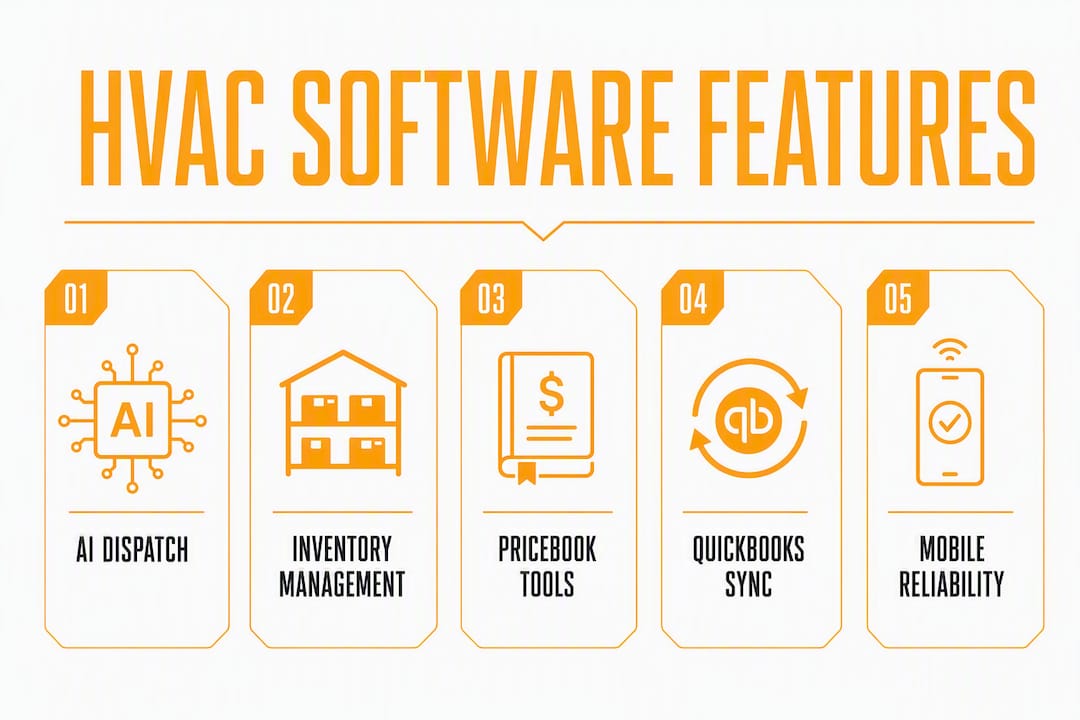
Dispatch and route optimization. The difference between basic scheduling and real dispatch intelligence is whether the system considers tech skill, current location, and parts availability simultaneously. A dispatcher working a whiteboard or a drag-and-drop calendar is making three decisions at once under time pressure. Automated dispatch removes two of those decisions.
AI dispatch. Automated scheduling, predictive maintenance alerts, and job-to-tech matching are the earliest high-value AI features appearing in HVAC workflows. The practical payoff is faster mean-time-to-dispatch and fewer callbacks from mismatched tech-to-job assignments. When evaluating AI dispatch claims, ask the vendor to demonstrate the matching logic live, not just describe it.
Equipment hierarchy and warranty tracking. Platforms that treat each installed unit as a first-class asset handle warranty tracking and multi-equipment customers far better than CRM-based tools that only attach notes to customers. A customer with four rooftop units needs four separate service histories, four warranty records, and four maintenance schedules. Tools that collapse all of that into one customer note create data debt that breaks maintenance agreements post-launch.
Inventory and van stock management. Truck-level stock zones, barcode scanning, offline mobile adjustments, and auto min/max reorder points tuned for seasonal demand are the features that matter for HVAC inventory. Tools like Stocklyst and Sortly specialize in this layer, with Sortly emphasizing visual item records and near-zero training time for SMB teams. inFlow adds real-time inventory with job-costing, letting installers assign parts to specific trucks and jobs for accurate landed cost tracking. If your FSM platform's native inventory is thin, these tools integrate via API.
Flat-rate pricebooks and financing tools. For residential contractors, a pricebook that supports customer-facing presentation on a tablet, with good/better/best option tiers and financing integration, directly affects close rates on high-ticket installs. This is where ServiceTitan has historically led.
Invoicing and payments. Invoice-to-cash time is one of the clearest KPIs to measure during a pilot. Platforms that let techs collect payment on-site via mobile, with automatic sync to accounting, compress that cycle from days to hours.
QuickBooks and accounting sync. For teams under roughly 25 techs, a native QuickBooks sync is often non-negotiable because it eliminates double-entry and speeds monthly reconciliation. Connector-dependent integrations introduce sync lag and failure points that create more work, not less.
Offline mobile reliability. Techs work in basements, mechanical rooms, and rural areas with no signal. A mobile app that requires a live connection to pull up job details, capture a signature, or update parts used is a liability in the field.
Reporting and analytics. The metrics that matter most for HVAC operations: first-visit fix rate, mean time to dispatch, tech utilization, and invoice-to-cash time. Platforms with built-in dashboards for these KPIs save you from building reports in spreadsheets.
Pro Tip: Before importing your customer and equipment data, map your equipment hierarchy on paper first. Define the parent-child relationship between customer sites, systems, and individual units. Vendors expect a clean import structure; without it, maintenance agreements and warranty tracking break down immediately after launch, and fixing it post-go-live costs far more time than the upfront mapping.
Integrations ecosystem. Beyond QuickBooks, common integration partners include accounting platforms (Sage, Xero), parts suppliers, and CRM tools. Most mid-market and enterprise platforms offer open APIs. Ask vendors for a current integration list and confirm whether the connectors you need are native or third-party.
How were these platforms evaluated?
This comparison draws on vendor documentation, product demos, published customer case studies, and aggregated review data from G2 and Capterra. No vendor paid for placement. The evaluation applied the following criteria:
- Feature fit for HVAC workflows: dispatch intelligence, equipment hierarchy depth, inventory management, pricebook tooling, and compliance/refrigerant log support.
- Integration quality: native vs. connector-dependent QuickBooks sync, API availability, and common partner ecosystem.
- Mobile and offline reliability: whether the app functions without a live connection for core field tasks.
- AI and automation capabilities: job-to-tech matching logic, automated scheduling, and predictive maintenance features.
- Implementation complexity: realistic time-to-value by team size, onboarding support quality, and data migration requirements.
- Pricing transparency: whether starting prices are publicly listed or require a sales call to obtain.
- Customer reviews and case studies: patterns in G2 and Capterra reviews, with weight given to reviews from HVAC-specific users rather than general field service.
- Support and training: availability of onboarding specialists, documentation quality, and ongoing customer success resources.
- Reporting and BI: whether the platform surfaces the KPIs HVAC operators actually track (first-visit fix rate, utilization, invoice-to-cash).
Ratings were applied on a 1–5 scale across business-fit axes (small residential, mid-market, commercial/enterprise) rather than as a single overall score, because the right platform depends on operational maturity and service mix, not feature count. Data reflects vendor information and review aggregates available as of early 2026; pricing in particular changes frequently and should be verified directly with vendors before purchase.
Which platform should you trial first?
Start with Tradepilot if your primary pain point is dispatch speed and you want invoicing and inventory in the same platform without a months-long implementation. It's the right first trial for teams of 5–100+ techs who want AI dispatch running from week one.
By size and use case:
- Commercial / mixed project-service: — Trial BuildOps. If ERP integration is the priority, add FieldBoss to the evaluation.
- Enterprise, 25+ techs: — ServiceTitan for residential scale; FieldBoss or WennSoft for ERP-class requirements.
30-day pilot checklist
Set these goals before the trial starts, not after:
- Define your baseline KPIs: current mean time to dispatch, first-visit fix rate, and average invoice-to-cash time.
- Run the pilot on a defined subset: two to three routes or one service type, not your entire operation.
- Measure weekly: dispatch time, tech utilization, and any invoice sync errors.
- Set a decision gate at day 21: if the platform hasn't reduced dispatch time or invoice errors measurably, escalate to the vendor before committing.
Next steps before you sign:
- Identify internally who owns data migration. A clean equipment hierarchy import is the single biggest determinant of a smooth launch.
- Request a reference from a customer in your service mix (residential vs. commercial, your tech count range).
- Budget for implementation time separately from subscription cost. Enterprise platforms often require months of setup and staff training that can exceed the first-year subscription cost difference versus an SMB product.
- Confirm offline mobile functionality with a live demo in airplane mode, not a vendor's word.
Key Takeaways
The single most important decision in choosing HVAC software is matching the platform's complexity to your team's operational maturity and service mix, not picking the one with the longest feature list.
| Point | Details |
|---|---|
| Match complexity to maturity | Deploying enterprise software without documented processes reliably causes failed implementations, regardless of feature count. |
| QuickBooks sync matters for SMBs | For teams under 25 techs, a native QuickBooks sync eliminates double-entry and speeds monthly close more than most other features. |
| Equipment hierarchy is a launch risk | Map your asset hierarchy before import; platforms that treat each unit as a first-class asset handle warranty and maintenance agreements far better post-launch. |
| AI dispatch is the fastest ROI lever | Sub-second job-to-tech matching reduces mean time to dispatch and cuts callbacks from mismatched assignments, measurable within a 30-day pilot. |
| Tradepilot for unified AI ops | Tradepilot is the strongest fit for teams of 5–100+ techs that want AI dispatch, invoicing, inventory, and analytics in one platform from day one. |
The feature list is the wrong place to start
Most HVAC contractors I've watched go through a software evaluation make the same mistake: they build a spreadsheet of features and score each vendor on how many boxes they check. The vendor with the longest list wins the evaluation and loses the implementation.
The platforms that actually stick are the ones chosen for fit, not features. A 10-tech residential shop that picks ServiceTitan because it's the "most powerful" option is buying a platform that assumes process maturity, dedicated admin staff, and a months-long onboarding runway. When none of those exist, the implementation stalls, the team reverts to spreadsheets, and the subscription becomes a sunk cost.
The smarter frame is to ask: what is the one workflow that costs us the most time or money right now? If it's dispatch chaos, start there. If it's double-entry between your scheduling tool and QuickBooks, start there. Pick the platform that solves that specific problem cleanly, then evaluate whether the rest of the feature set is worth the implementation overhead.
One practical tip that rarely appears in buyer guides: during your pilot, run the mobile app in airplane mode for a full day before you commit. More platforms than you'd expect have offline modes that look functional in a demo but fail when a tech is actually underground or in a rural mechanical room. That test takes 20 minutes and saves months of field complaints.
Tradepilot cuts dispatch time from day one
If the comparison above confirmed what most HVAC operators already suspect, that the real problem isn't finding a platform with enough features but finding one that actually works the way your team dispatches, Tradepilot is built for exactly that.

The AI matches each job to the right technician by skill, location, and availability in under a second. Invoicing, inventory, and analytics live in the same platform, so your dispatcher, office manager, and owner are all looking at the same data. No connector fees, no reconciliation at month-end across three tools.
Onboarding is designed for field service teams, not IT departments. Most teams are dispatching live within the first week. To evaluate Tradepilot fairly in a pilot, track three numbers: mean time to dispatch, first-visit fix rate, and invoice-to-cash time. Those three KPIs will tell you within 30 days whether the platform earns its place.
Start a trial or book a demo at tradepilotnet.com to see the AI dispatch logic live and get a realistic onboarding timeline for your team size.
Useful sources and further reading
A short list of authoritative sources used in this comparison, with notes on what each covers:
- Best HVAC Field Service Software | FieldBoss: — Vendor-authored buyer guide with useful context on enterprise FSM requirements and Microsoft Dynamics 365 integration.
- 10 Best HVAC CRM Software Platforms in 2026 | FieldCamp: — CRM-focused comparison covering workflow customization and record management for field service teams.
- HVAC Inventory Management Software | Stocklyst: Specialist inventory vendor covering truck-level stock zones, barcode scanning, and seasonal reorder logic.
- HVAC Inventory Management Software | Sortly: Visual inventory tool with emphasis on fast SMB onboarding and photo-based part identification.
- HVAC Inventory Management Software | inFlow: Job-costing-focused inventory platform for HVAC installers needing parts-to-job allocation.
- AI Dispatching for HVAC, Electrical, and Plumbing | Tradepilot Blog: Deep-dive on AI dispatch technology, ROI examples, and evaluation questions for HVAC operators.
- The HVAC Technician's Guide to SWOT Analysis | MOGHQ: Practical operational analysis framework useful for assessing business readiness before a software deployment.
- Best HVAC Dispatch Software for 2026 | Tradepilot Blog: Comparison of dispatch-focused platforms with evaluation criteria for HVAC contractors.